Download Sonible smart:comp 2 for Mac Free. It is full Latest Version setup of Sonible smart:comp 2 DMG for Mac OS X.
sonible smart:comp 2 for Mac Review
sonible smart:comp 2 is a smart compressor plugin for Mac users who want more control over dynamics without spending a long time finding compressor settings manually. It can analyze an audio signal, suggest suitable compression settings, and then let you adjust the result to match the sound you want. It is designed for vocals, drums, bass, instruments, buses, and complete mixes. What makes smart:comp 2 different from a basic compressor is its spectral processing. Instead of treating the whole signal in exactly the same way, it can analyze more than 2,000 frequency areas and apply compression according to the changing tonal content of the source. This can help control uneven frequencies while still keeping the overall performance natural.
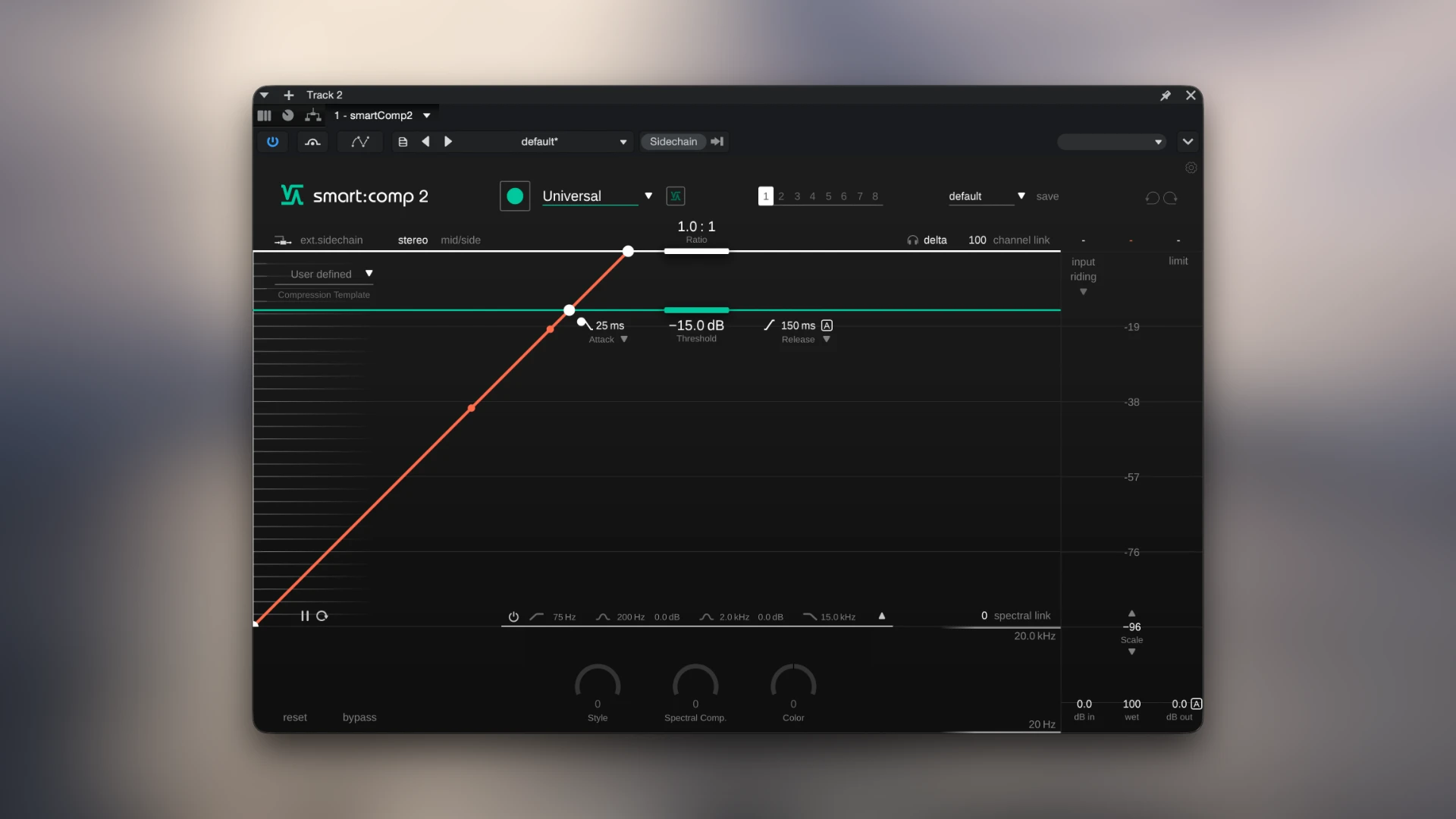
An important point for anyone searching for this plugin in 2026: smart:comp 2 is now an older-generation product. sonible has released smart:comp 3, which adds a newer Compression Matrix, Group Mode, enhanced Input Riding, customizable Style engines, and a zero-latency mode. However, smart:comp 2 remains relevant for users specifically looking for this version or working with existing sessions that use it. For Mac users, the smart:comp 2 manual lists support for macOS 10.12 and newer, with Intel Core i5 and Apple M1 processors and at least 4 GB of RAM. The plugin is available in AU, VST, VST3, and AAX formats.
Smart:Learn Compression
The smart:learn function is the easiest place to start. Instead of immediately changing threshold, ratio, attack, and release yourself, you allow the plugin to study the incoming audio. It then creates a starting point based on the selected profile and the characteristics of the signal. This doesn’t mean you should simply press Learn and never touch the controls again. The generated settings are better treated as a starting point. If a vocal needs more movement, a drum needs stronger punch, or a bus needs less compression, you can change the settings after the analysis. That approach makes smart:comp 2 useful for both beginners and experienced producers. Beginners get a sensible place to start, while experienced users can use the automatic setup to save time.
Spectral Compression
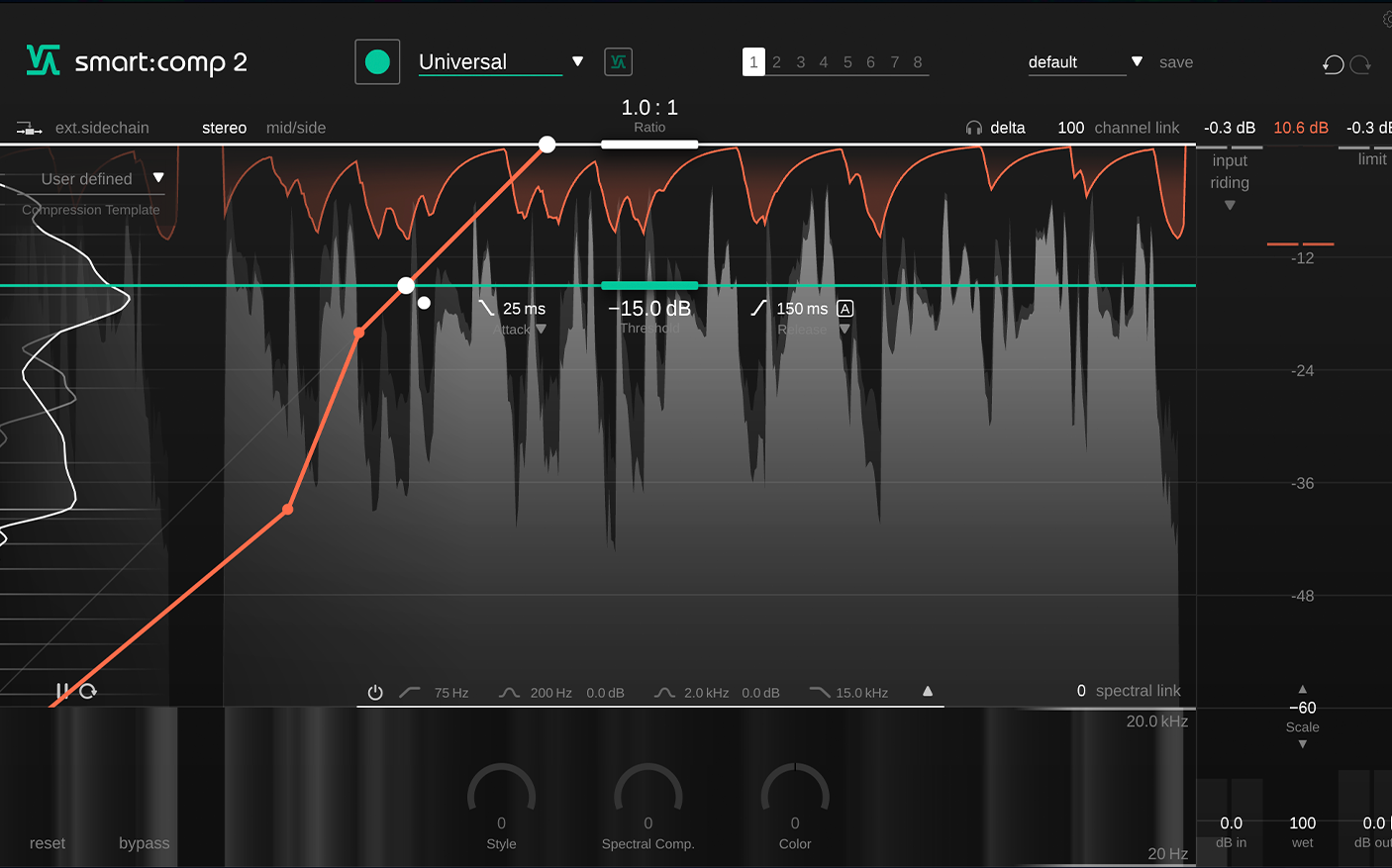
Spectral compression is probably the most distinctive part of smart:comp 2. Traditional compression mainly looks at the overall level of a signal. Smart:comp 2 can also examine the frequency content and adjust compression according to what is happening across the spectrum. Sonible says the system analyzes more than 2,000 frequency bands. This can be useful when a recording has certain frequencies that become too strong at particular moments. For example, a vocal may become sharp on certain words. A bass recording may become uneven in specific notes. A drum bus may have occasional frequency peaks that don’t need the entire signal to be compressed heavily.
Spectral compression can address those changes without treating the whole signal in the same way. A user discussion on Reddit also highlights this as one of smart:comp’s main practical strengths, with one experienced user saying they valued its spectral processing more than the automatic compressor settings themselves. That’s an individual user’s experience, not an independent benchmark, but it shows why the spectral section attracts experienced users.
Profiles for Different Sources
smart:comp 2 includes profiles for different types of material. The available profile system covers individual tracks, buses, and complete mixes. This matters because a compressor setting that works on a single vocal isn’t necessarily appropriate for a drum bus or stereo mix. You can therefore start from a profile that is closer to the source and then make your own adjustments. This is more practical than trying to find one universal compression preset.
Style and Color Controls
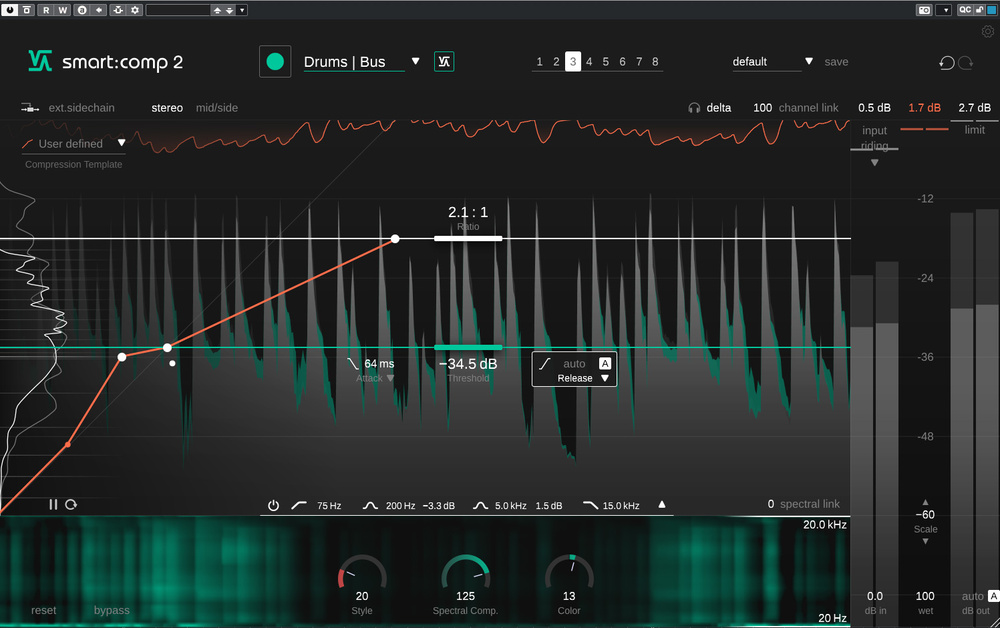
Smart:comp 2 isn’t limited to clean, corrective compression. Its Style control allows you to move between cleaner and more colored compression behavior. The Color control works with the spectral compression and can shift the processing toward a darker or brighter character. These controls are useful when the technical correction is already working but the sound still doesn’t fit the track. For example, a vocal may need compression without becoming too obvious. A drum bus may benefit from a more noticeable character. The controls give you a way to change the feel without rebuilding the entire compressor setup.
Input Riding
Input Riding is designed to keep the input level relatively consistent after the plugin has learned the signal. This can reduce the amount of manual level adjustment needed before compression. This is particularly useful when a recording contains large changes in level. Instead of forcing the compressor to react to every large volume difference, Input Riding can help create a more consistent signal for the compression stage. It isn’t a replacement for good recording levels or proper gain staging, but it can save time during mixing.
Key Features of sonible smart:comp 2
- Automatic compression setup with the smart:learn function.
- Spectral compression for frequency-sensitive dynamics control.
- More than 2,000 frequency bands used for spectral analysis.
- Profiles for individual tracks.
- Profiles for buses.
- Profiles for complete mixes.
- Free-form transfer function.
- Compression templates.
- Clean-to-dirty Style control.
- Dark-to-bright Color control.
- Spectral Link for limiting spectral processing to selected areas.
- Channel Link for independent channel processing.
- Auto Release.
- Input Riding.
- Sidechain filtering.
- Mid/Side processing.
- Separate Mid and Side settings.
- Up to eight user states for quick comparisons.
- Real-time level histograms.
- Interactive compression grid.
- Attack and release visualization.
- Auto gain.
- Detailed level monitoring.
- 5.1 support.
- AU, VST, VST3, and AAX formats.
- Mac and Windows support.
- Apple Silicon support in the smart:comp 2 development line.
- Machine-based or iLok authorization.
sonible smart:comp 2 Alternatives
FabFilter Pro-C 2
FabFilter Pro-C 2 is a strong alternative for users who want a more traditional compressor with detailed manual control. It provides several compression styles and extensive controls, making it better suited to engineers who prefer to decide exactly how the compressor behaves. Smart:comp 2 is more focused on analysis and automatic setup, while Pro-C 2 gives you more direct control from the beginning.
Waves C1 Compressor
Waves C1 Compressor is another option for users who want conventional dynamics control. It has a more traditional workflow and can be useful when you don’t need spectral analysis or automatic parameter selection.
TDR Nova GE
TDR Nova GE is worth considering when your main requirement is detailed control over dynamics across frequency ranges. It is especially useful when you want to combine EQ-style control with dynamic processing. The workflow is more manual than smart:comp 2, but it can be very flexible.
iZotope Neutron
iZotope Neutron is a broader mixing tool rather than just a compressor. Its processing modules can cover several parts of a mix workflow. It’s a better choice if you want compression alongside other intelligent mixing tools rather than a dedicated compressor.
Focusrite FAST Compressor
Focusrite FAST Compressor is another option for producers who want automatic compression settings with a simpler workflow. It can be easier to approach for beginners, while smart:comp 2 provides considerably more control once the automatic setup has been created.
Conclusion
sonible smart:comp 2 is a capable Mac compressor for producers who want automatic assistance without giving up manual control. Its spectral compression, source profiles, Mid/Side processing, Input Riding, sidechain filtering, and detailed visual feedback make it more flexible than a basic compressor. Its biggest drawback in 2026 is its age and the availability of smart:comp 3. sonible smart:comp 2 remains an interesting compressor for Mac users because its main strength isn’t simply automatic compression. Its real difference comes from combining automatic setup with spectral processing, allowing the plugin to react to different parts of the frequency range rather than treating the entire signal identically
Technical Details
- Full Name: Sonible smart:comp 2
- Setup App File Name: Sonible smart:comp 2
- Full Application Size: 63 MB
- Latest Version: 1.0.4
- Setup Type: AU, VST, VST3
- Developers: Sonible
System Requirements
- Operating System: macOS 10.12 (Sierra) or later
- Memory (RAM): 4/8 GB
- Hard Disk Space: 100 MB
- Processor: Apple Silicon (M1-M5) and newer or Intel Core (64-bit)
Download Sonible smart:comp 2 Latest Version Free
Click on the button below to start Sonible smart:comp 2 Download for Mac OS X. This is completely Tested and Working Latest Version Mac OS App of Sonible smart:comp 2 . It is offline installer and standalone setup for Sonible smart:comp 2 for Apple Macintosh. We provide Resumeable single direct link Sonible smart:comp 2 Download for Mac.