Download Blockr 2026 full latest version program free setup for Windows.
Blockr 2026 for Windows Review
Blockr 2026 is a visual, no-code framework for building data analysis workflows with R. Developed by cynkra and Bristol Myers Squibb, it gives users a graphical workspace where they can connect data, apply filters, create charts, and organize analysis steps without writing every command manually. Each block performs a specific task, while the complete workflow shows how the data moves from one step to another. The software is designed for data analysts, researchers, R users, and teams that need to create repeatable analyses. It is particularly useful when several people need to understand how a result was produced. Its Windows installation requires R, so it is not a standalone desktop application.

Visual Data Workflows
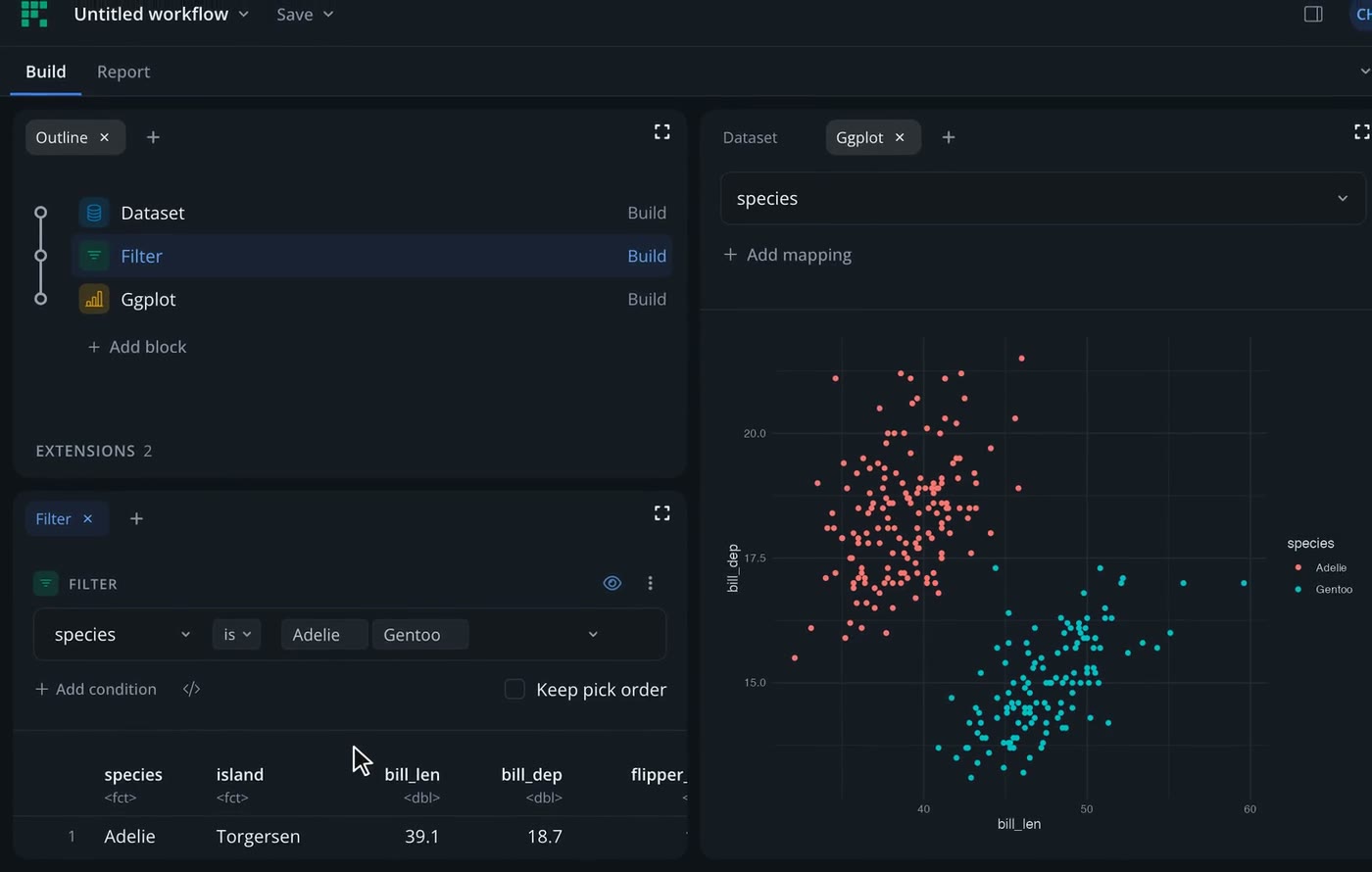
Blockr replaces much of the manual workflow setup with connected blocks. Users can start by selecting a dataset, add a filtering step, choose columns for a chart, and arrange the results on an interactive board. Each block represents an individual operation, making the overall analysis easier to follow.
This approach can help users who understand their data but do not have extensive programming experience. Instead of remembering every R command, they can configure analysis steps through the visual interface.
Automatic R Code
One of Blockr’s most useful features is its connection between visual actions and R code. Every block adds a corresponding step to the analysis, and users can view the complete script through the Report tab.
This is helpful for people who want to learn R or share their work with colleagues who prefer traditional coding. The generated script can also be reviewed and run without relying on the Blockr interface. Users can therefore move between visual analysis and regular R programming.
AI Assistant Support
Blockr can work with an AI assistant to help users create data workflows. Instead of manually adding every block, users can describe the analysis they want, and the assistant can help assemble the required steps.
The important advantage is that the assistant uses the same blocks available in the visual interface. Users can inspect the workflow and understand what each step does rather than accepting an unexplained result. AI assistance is optional, so Blockr can also be used without it.
Interactive Dashboards and Reports
Blockr supports interactive data exploration through filters, charts, and connected analysis steps. When users change a filter or another setting, related outputs can update to reflect the new data.
It is suitable for projects involving data cleaning, exploration, visualization, and reporting. The framework is also being used in examples involving clinical trial analysis, insurance pricing, and public-sector statistics. However, building advanced workflows still requires an understanding of the data and the R packages used by the project.
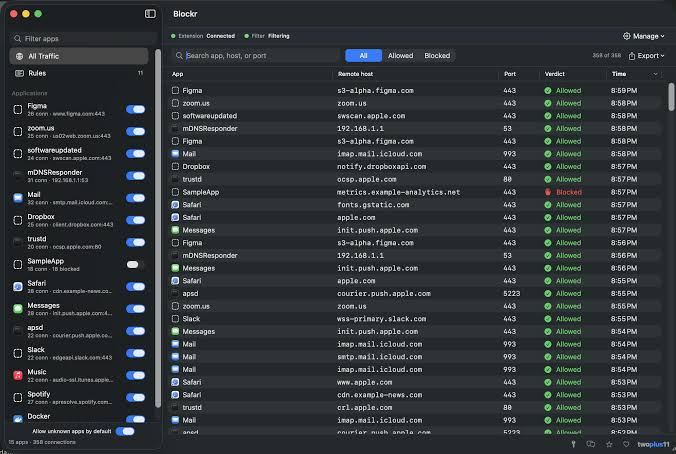
Key Features of Blockr
- Visual Workflow Builder:Create data analysis pipelines by connecting individual blocks.
- No-Code Interface:Configure common analysis steps without manually writing every R command.
- Automatic R Code:View the code generated by each block and reuse it outside Blockr.
- Data Filtering:Select and filter datasets through interactive workflow steps.
- Data Visualization:Create charts and explore results through connected blocks.
- Interactive Dashboards:Arrange analysis panels and update results when inputs change.
- AI Assistant:Get help building workflows through natural-language instructions.
- Reproducible Analysis:Keep analysis steps visible so other users can review how results were produced.
- Windows Package Support:Install Blockr on Windows through the R package system.
Best Alternatives to Blockr
- KNIME Analytics Platform
KNIME is a strong alternative for users who want a visual environment for data preparation, analysis, machine learning, and reporting. Its drag-and-drop interface uses connected nodes to build workflows. It also supports many data sources and programming integrations, including R and Python. KNIME is a better choice for users who want a broader standalone analytics platform.
- Orange Data Mining
Orange Data Mining offers a visual programming interface for data analysis and machine learning. Users connect widgets to load datasets, prepare information, create visualizations, and train models. It is suitable for beginners, students, and researchers who want to explore data without writing much code. Unlike Blockr, it does not focus specifically on generating reusable R workflows.
- Shiny for R
Shiny is an R framework for building interactive web applications from data and analysis code. It includes ready-made controls, charts, tables, and other interface elements that respond to user input. It is more suitable for developers who want to turn their R analysis into interactive applications, while Blockr focuses on visually creating and reviewing the analysis workflow itself.
Conclusion
Blockr 2026 for Windows is a useful option for people who want to create understandable and repeatable data analysis workflows with R. Its visual blocks, automatic code generation, interactive dashboards, and optional AI assistance make it easier to organize analysis without writing every command manually. However, Blockr is not a complete replacement for R programming, and users need R 4.5 or later to install the current framework. It is best suited to analysts and researchers who want a visual way to explore data while keeping the underlying code available for review and reuse. If you already work with R and want a more accessible way to build data workflows, Blockr is worth exploring.
Blockr 2026 Technical Setup Details
- Software Full Name: Blockr 2026
- Setup File Name: Blockr-20-11-2026.rar
- Setup Size: 14 MB
- Setup Type: Offline Installer / Full Standalone Setup
- Compatibility Mechanical: 32 Bit (x86) / 64 Bit (x64)
- Developers: Blockr
System Requirements for Blockr 2026
- Operating System: Windows 7/8/10
- RAM: 1 GB
- Hard Disk: 2 GB
- Processor: Intel Dual Core or higher processor
Blockr 2026 Free Download
Download Blockr 2026 free latest full version offline direct download link for full offline setup by clicking the button below.