Download Boris FX Continuum Complete 2026 full latest version program free setup for Windows.
Boris FX Continuum Complete 2026 for Windows Review
Boris FX Continuum Complete 2026, now marketed simply as Boris FX Continuum 2026, is a professional visual effects plugin collection for video editors, motion graphics artists, and VFX creators. It works inside popular video editing and compositing applications instead of acting as a standalone video editor. Continuum brings hundreds of effects, transitions, presets, particle tools, image restoration features, color controls, title tools, and AI-assisted effects into one collection. The 2026 generation added stronger AI masking and restoration tools, while the newer 2026.5 update expanded the collection with new AI models, improved image warping, better transitions, and a more capable FX Editor. For Windows users, Continuum is especially useful when working with applications such as Adobe After Effects, Adobe Premiere Pro, DaVinci Resolve, Avid Media Composer, Nuke, and VEGAS Pro. The current Windows requirements are demanding, so it is better suited to modern editing workstations than basic office PCs.
What Is Boris FX Continuum Complete?
Boris FX Continuum is a large collection of video effects and VFX tools designed to extend professional editing software. The older name Boris Continuum Complete, or BCC, is still widely used when people search for the product. However, Boris FX now uses Continuum as the main product name. The collection is designed around individual effects and tools rather than one large editing interface. You install the plugins and access them from a supported host application.This makes Continuum useful for editors who already work inside a professional video editing or compositing workflow.
AI Tools in Continuum 2026
AI is one of the biggest changes in the 2026 generation. Continuum includes AI-powered tools that can identify and isolate parts of an image without requiring the editor to manually create every mask. For example, Face ML can identify facial areas such as eyes, eyebrows, lips, mouth, teeth, and skin. This can make beauty work and targeted corrections faster. Matte Refine ML can improve an existing matte and help recover fine details. This is useful when working with complex subjects where a simple mask does not provide a clean result. The 2026 release also introduced AI-based transition and restoration tools, including Jump Cut Fixer ML and Depth Wipe ML.
Continuum 2026.5 AI Improvements
Continuum 2026.5 expanded the AI features even further. The update introduced BCC+ Deinterlace ML, which is designed to convert interlaced footage into progressive frames. This can be useful for older footage, television material, VHS transfers, and other interlaced sources. The update also improved existing Face ML, License Plate ML, Motion Blur ML, and UpRes ML models. Another useful change is the ML model unload system. When an unused ML model remains inactive for a period of time, Continuum can unload it from the GPU to free memory. The model can then be loaded again when needed. This is important on Windows workstations where several effects may compete for GPU memory.
FX Editor
The FX Editor is one of the most useful parts of Continuum. Instead of searching through hundreds of effects individually, you can browse effects, favorite frequently used tools, adjust parameters, and save custom presets. Continuum 2026.5 added an integrated Pixel Chooser to the FX Editor. This allows users to control where an effect appears without creating complicated additional layers. The Pixel Chooser can work with shape masks, luminance keys, and AI-generated depth information. The updated FX Editor also includes color management controls and an information panel for checking RGBA values.
Pixel Chooser
Pixel Chooser gives you more control over where an effect is applied. For example, you might want a glow effect to affect only a subject and not the entire background. Instead of duplicating layers or creating complicated masks manually, Pixel Chooser can help isolate the required area. This becomes even more useful when combined with Continuum’s AI masking tools. For editors working with complex shots, this can reduce repetitive masking work.
Image Warping and Distortion
Continuum 2026.5 also improved its image warping tools. The updated BCC+ Ripple effect provides multiple ripple controls and additional waveform options for creating glass-like or water-style distortions. The displacement tools received a much larger update. BCC+ Displacement Map now includes access to more than 1,000 built-in displacement maps through the FX Editor. It can also create animated glitch effects and use RGB separation for more complex results. There are also Polar Displacement and Vector Displacement effects for more specialized distortion work. These tools can be useful for music videos, title sequences, advertisements, social media content, and experimental VFX.
Particle Illusion
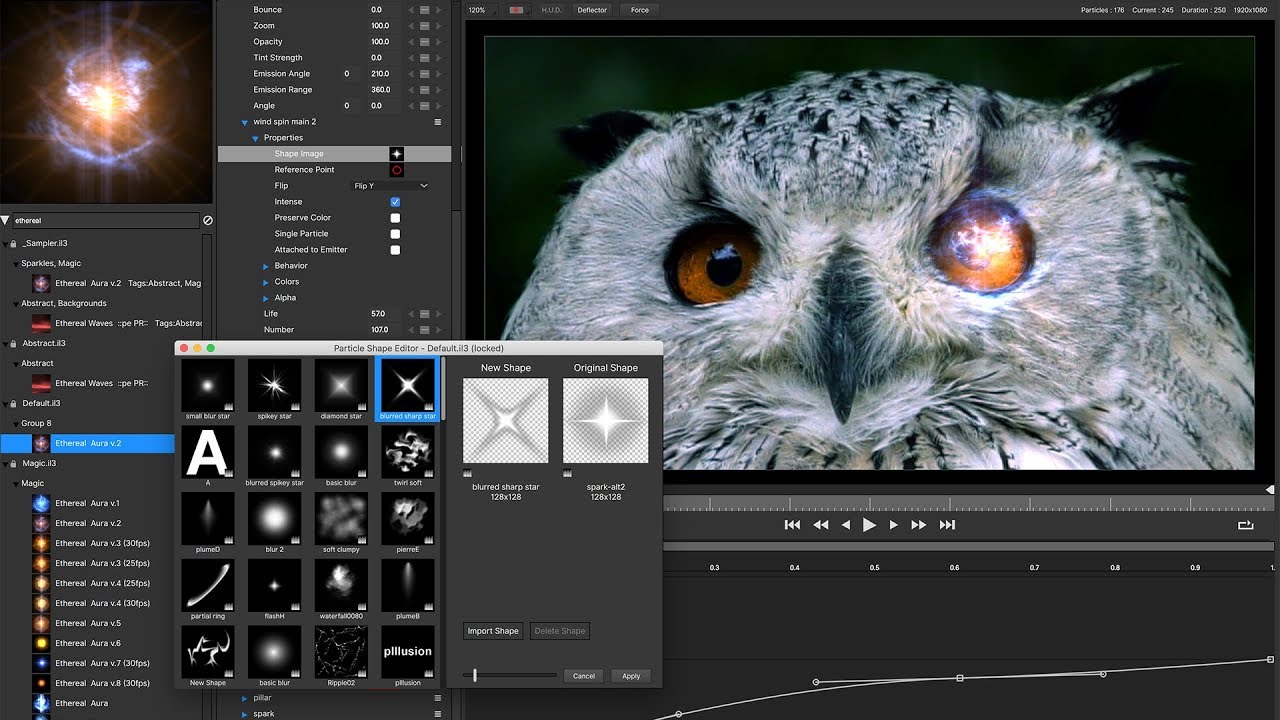
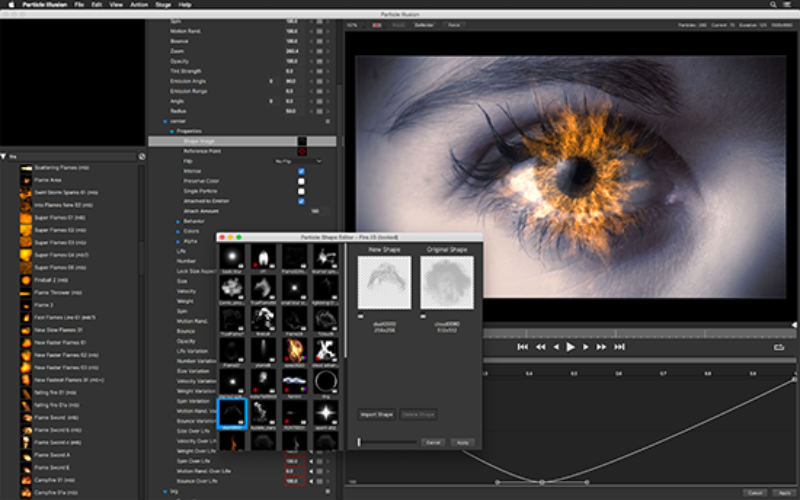
Particle Illusion is another major component of Continuum. It is designed for creating and animating particle effects such as smoke, fire, sparks, dust, light effects, and other animated elements. The 2026.5 update added parameter linking, color gradient linking, and easier particle layering. The Clone Particle Type feature can also make it easier to reuse particle setups while building more complex scenes. Particle Illusion is particularly useful when a video requires effects that would otherwise take a large amount of manual animation work.
Title Studio
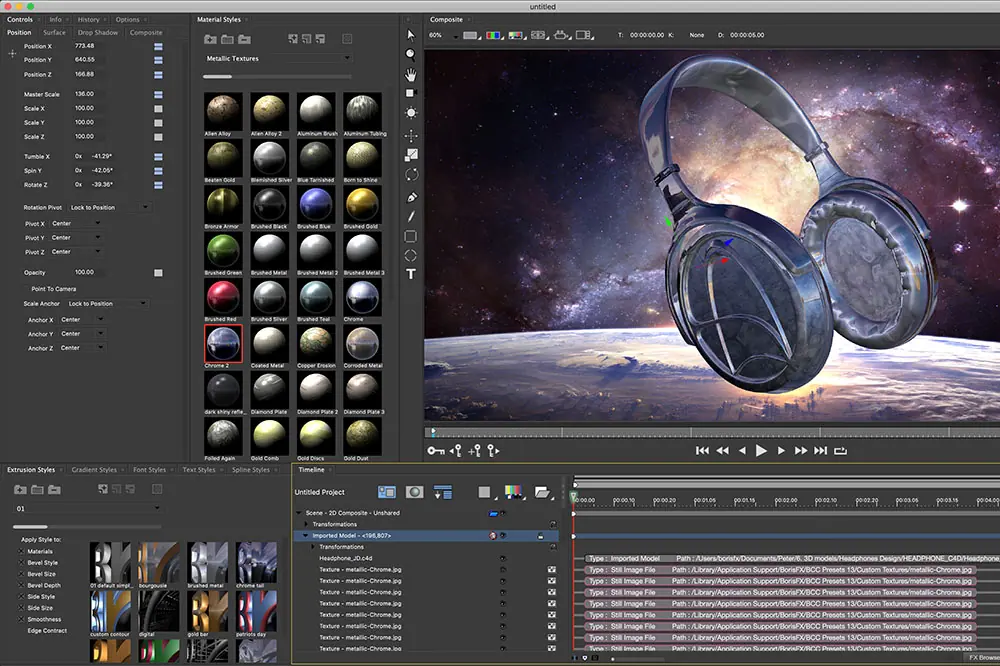
Title Studio is Continuum’s tool for creating animated titles and motion graphics. It can be used for lower thirds, opening titles, logo animations, 3D-style text, and other graphic elements. The 2026.5 update improved Title Studio performance and added a redesigned preset library with 70 new drag-and-drop presets. For editors who regularly create title sequences, having this tool inside the same plugin collection can reduce the need to switch between different applications.
Primatte Studio
Primatte Studio is focused on green-screen and keying workflows. It helps separate a subject from a green or blue background so the foreground can be placed over another scene. The 2026 version added AI-based tools, improved masking through Mocha integration, AI denoise, light wrap, spill suppression, and color matching features. These controls are useful when a basic chroma key produces rough edges, unwanted background color, or an artificial-looking composite.
Lens and Lighting Effects
Continuum includes a large selection of lens, lighting, glow, blur, and image treatment effects. These tools can be used to create cinematic highlights, lens flares, soft focus, glows, depth effects, and stylized lighting. The 2026 release also improved the Lens Flare effect and added performance improvements. These effects are useful for both realistic finishing work and deliberately stylized video production.
Color and Film Effects
Continuum also provides tools for changing the visual character of footage. Editors can use its color, film, texture, and stylization effects to create different looks without building every effect manually from basic editing controls. This can be useful for music videos, advertisements, short films, YouTube content, social media videos, and motion graphics.The large preset library also makes it easier to experiment with different looks before fine-tuning the settings.
Transitions
Continuum includes dedicated transition effects in addition to its regular filters. The 2026.5 release improved several wipe and dissolve tools. The BCC+ Smoke Wipe, Texture Wipe, and Depth Wipe effects now include gradient-based controls. These allow the transition to follow a more controlled visual direction instead of behaving like a basic linear wipe. Depth-based transitions can also create a stronger sense of movement between foreground and background elements.
Key Features of Boris FX Continuum 2026
- 300+ visual effects
- 40 transitions
- 5,000+ presets
- AI-assisted masking
- Face ML
- Matte Refine ML
- Deinterlace ML
- Motion Blur ML
- UpRes ML
- License Plate ML
- Primatte Studio
- Particle Illusion
- Title Studio
- Integrated Pixel Chooser
- Advanced image displacement tools
- Ripple and distortion effects
- Lens effects
- Color and film effects
- Image restoration tools
- Beat Reactor
- Mocha-powered masking and tracking features
- Custom preset creation
- GPU acceleration
- Support for multiple professional host applications
Boris FX Continuum 2026 Alternatives
Boris FX Sapphire
Sapphire is one of the strongest alternatives within the Boris FX ecosystem. It focuses heavily on creative visual effects, lighting, transitions, glows, distortions, and stylized looks. Sapphire is a better choice when your main requirement is high-end creative effects rather than the wider collection of keying, particles, restoration, titles, and utility tools found in Continuum.
Best for: High-end creative effects and cinematic looks.
Red Giant Universe
Red Giant Universe is another popular plugin collection for editors and motion graphics artists. It provides stylized effects, transitions, text tools, glows, distortions, and retro looks. It can be a good option for creators who want a large collection of ready-to-use effects with a strong focus on creative video styling.
Best for: Motion graphics and stylized editing.
Video Copilot
Video Copilot has long been popular among After Effects users for visual effects and motion graphics resources. Its tools are especially useful for users who primarily work in Adobe After Effects and want specialized VFX workflows.
Best for: After Effects-focused VFX work.
DaVinci Resolve Effects
DaVinci Resolve includes a large collection of built-in effects, transitions, Fusion tools, and color features. For users already working inside Resolve, the built-in tools can cover many common tasks without requiring another plugin collection.
Best for: Users who want an integrated editing, color, audio, and VFX environment.
Conclusion
Boris FX Continuum Complete 2026, now officially marketed as Continuum 2026, is one of the more extensive plugin collections available for professional video production. It combines creative effects, transitions, particles, titles, image restoration, keying, masking, and AI-assisted tools in one package. The 2026.5 update makes the collection even more useful for modern Windows workflows. The new Deinterlace ML tool, improved AI models, Pixel Chooser, color management controls, upgraded displacement effects, better wipes, and Particle Illusion improvements add practical tools rather than simply increasing the number of effects. Its biggest strength is flexibility. A Premiere Pro editor can use it for transitions and image effects, while an After Effects artist can use the same collection for masking, particles, titles, compositing, and restoration. The main drawback is hardware. Continuum is not aimed at low-end computers. Boris FX recommends 32 GB RAM and a dedicated GPU with at least 6 GB VRAM for Windows. Users also need a compatible host application.
Boris FX Continuum Complete 2026 Technical Setup Details
- Software Full Name: Boris FX Continuum Complete 2026
- Setup File Name: Boris_FX_Continuum_Complete-v19.5.4.rar
- Setup Size: 11 GB
- Setup Type: Offline Installer / Full Standalone Setup
- Compatibility Mechanical: 32 Bit (x86) / 64 Bit (x64)
- Developers: Boris FX
System Requirements for Boris FX Continuum Complete 2026
- Operating System: Windows 7/8/10
- RAM: 8 GB
- Hard Disk: 12 GB
- Processor: Intel Core i5 or higher processor
Boris FX Continuum Complete 2026 Download
Download Boris FX Continuum Complete 2026 free latest full version offline direct download link for full offline setup by clicking the button below.