Download Canvas Audio Monarch Tape Machine for Mac Free. It is full Latest Version setup of Canvas Audio Monarch Tape Machine DMG for Mac OS X.
Canvas Audio Monarch Tape Machine for Mac Review
Canvas Audio Monarch Tape Machine is a tape saturation plugin for Mac users who want the warmth and depth of analog recording without making their tracks sound old or damaged. Instead of focusing on heavy hiss, wobble, and other lo-fi effects, it aims to add subtle saturation, gentle compression, and harmonic detail. This makes it suitable for producers who want a more polished sound while keeping the original character of their recordings.
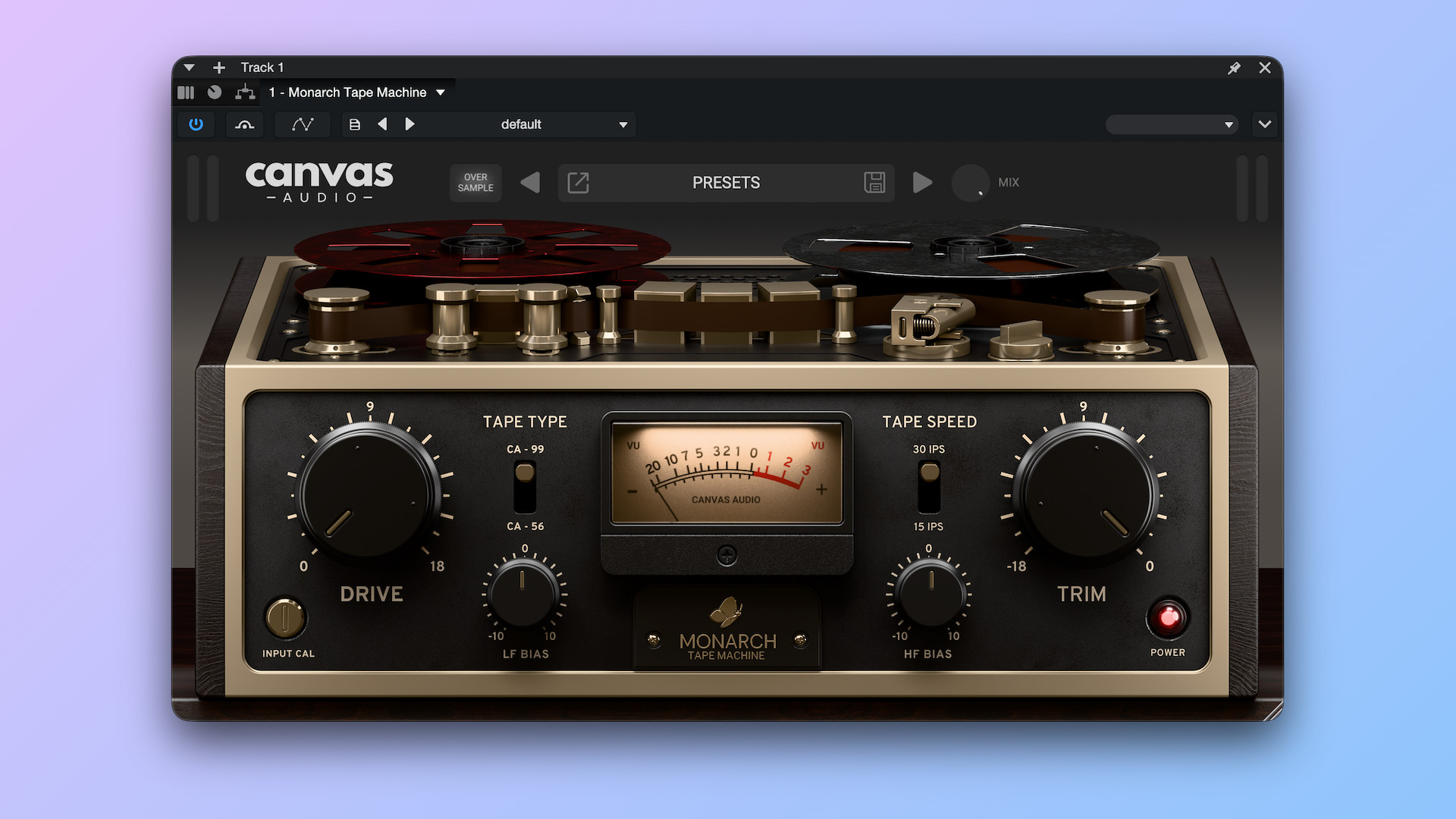
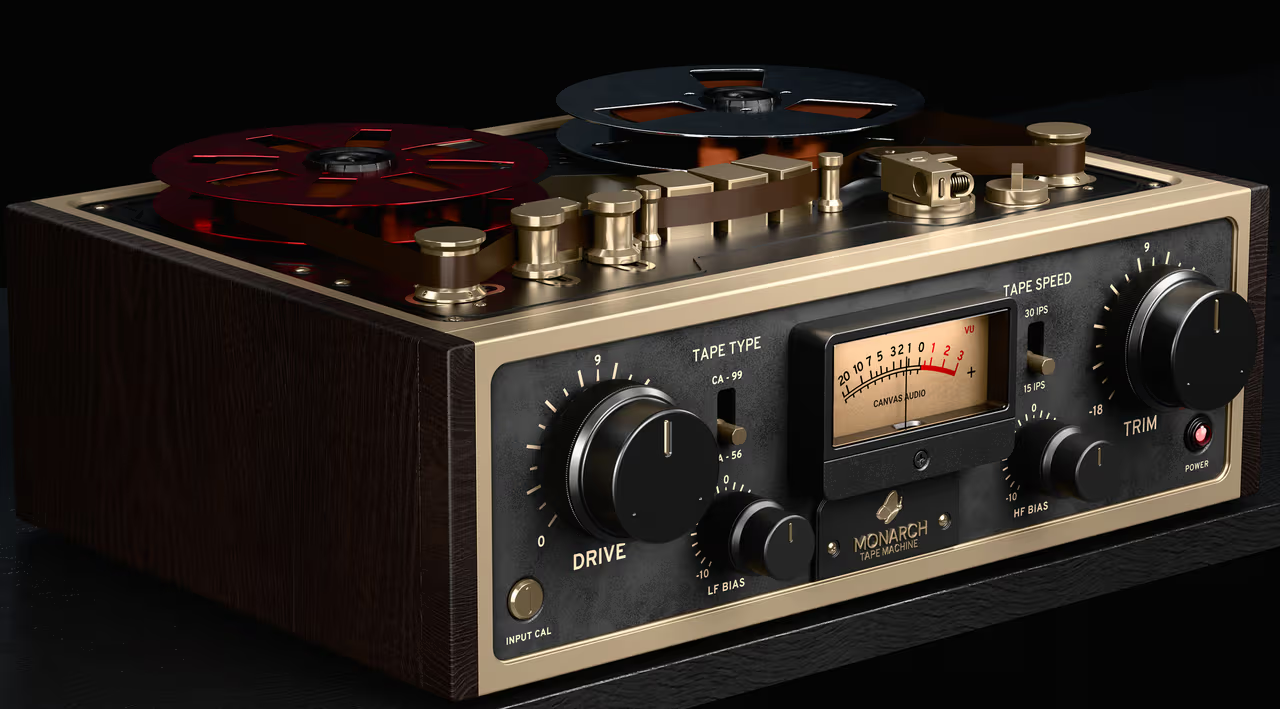
The main Drive control determines how much saturation you apply. Push it gently to add a little warmth, or increase it for a thicker and more noticeable effect. The Trim control helps balance the output level, making it easier to compare the processed signal with the original without being misled by a volume increase. Its tape processing also introduces soft compression and smooths sharp transients, which can help individual sounds sit more naturally in a mix.
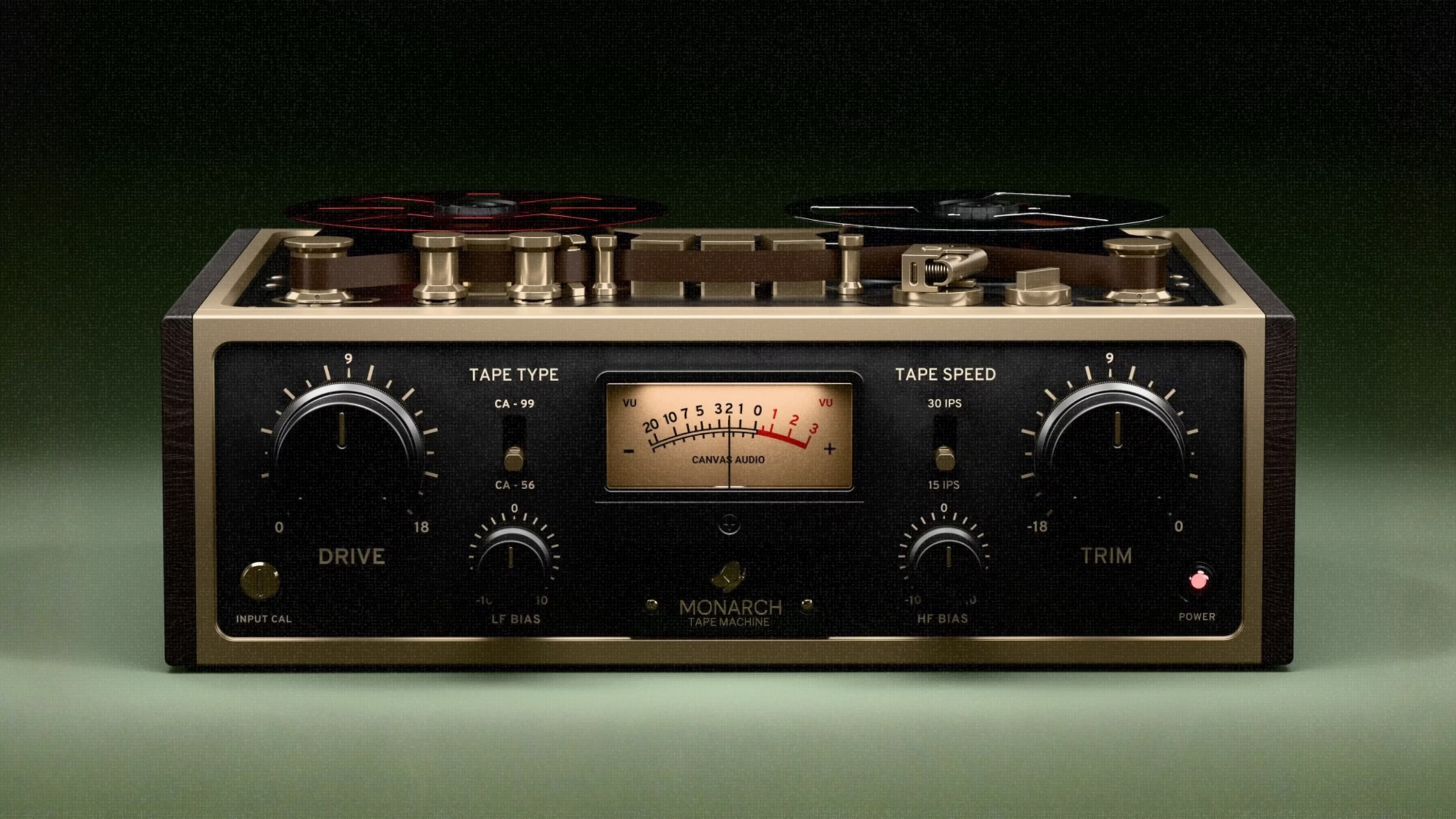
Monarch offers different ways to shape its tape character. You can switch between Modern and Vintage responses, depending on whether you prefer a cleaner sound or a softer vintage tone. The tape options provide a choice between a tighter 1/2-inch character and a thicker 2-inch style sound. Separate LF and HF Bias controls let you adjust how saturation affects the low and high frequencies. These controls are useful when you want more weight from a bass or drum track without making the entire signal overly distorted.
The plugin also includes 4x oversampling, enabled by default, to help reduce unwanted digital distortion when applying stronger saturation. A global Mix control allows parallel processing, so you can blend the original audio with the tape-processed signal. Its preset menu supports loading and saving settings, and the included artist presets provide starting points for different mixing situations. You can use Monarch on individual tracks, drum buses, vocals, guitars, bass, or a complete mix.
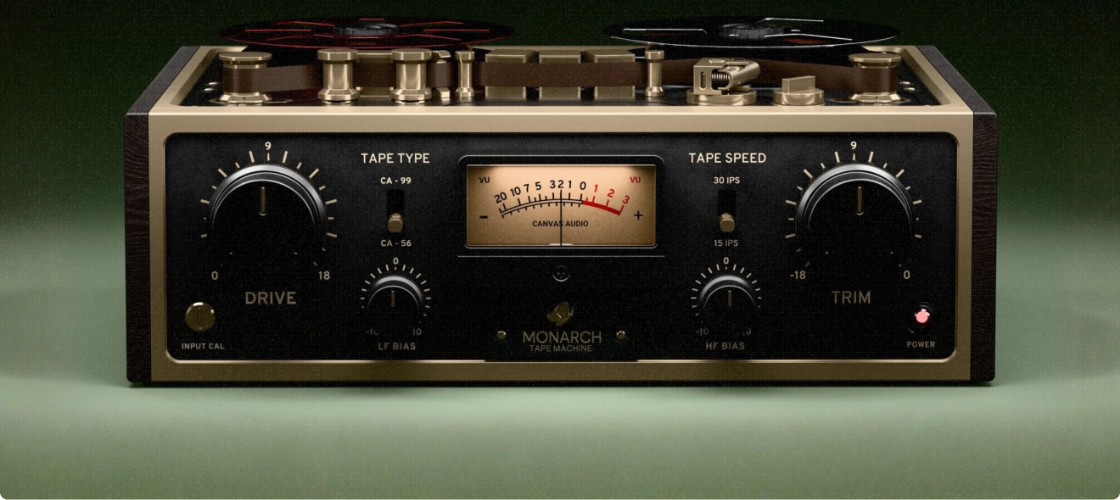
Monarch is best suited to producers who prefer controlled tape colour over obvious vintage effects. It is not designed to recreate every detail of a physical tape machine, and users looking for adjustable hiss, wow, flutter, or detailed tape-machine calibration may find its controls limited. Its straightforward layout is a benefit for quick mixing, but it offers less deep adjustment than some more advanced tape emulations.
Key Features of Canvas Audio Monarch Tape Machine
- Tape Saturation:Adds harmonic colour and warmth without relying on exaggerated lo-fi effects.
- Drive Control:Adjusts how strongly the audio is pushed into the tape-style processing.
- Input Calibration and Trim:Helps set the input level and balance the output after processing.
- Modern and Vintage Modes:Offers cleaner or softer tape responses.
- Two Tape Styles:Choose between a tighter 1/2-inch sound and a thicker 2-inch character.
- LF and HF Bias:Shape how saturation affects the low and high frequencies.
- 4x Oversampling:Helps reduce aliasing when using stronger saturation.
- Global Mix Control:Blends the processed signal with the original audio.
- Preset Support:Load, save, and recall settings, including artist presets.
- Mac Compatibility:Supports Intel and Apple Silicon Macs, with AU, VST3, and AAX formats.
Best Alternatives to Canvas Audio Monarch Tape Machine
- u-he Satin
u-he Satin is a good choice for producers who want more detailed control over tape processing. It offers different tape materials, five circuit models, adjustable tape speed, noise reduction options, and controls for hiss, wow, and flutter. It can also work as a tape delay or flanging effect. Compared with Monarch, Satin provides a much wider range of sound-shaping options, although it takes more time to understand.
- Softube Tape
Softube Tape focuses on adding analog warmth and cohesion to individual tracks and complete mixes. It includes three tape machine types, adjustable tape speed, stability controls, and a wet/dry mix option. Its simple workflow makes it useful for producers who want to add tape character without spending too much time adjusting settings.
- Universal Audio Studer A800
Universal Audio Studer A800 is designed around the sound of a specific multitrack tape machine. It provides different tape formulas, tape speed settings, and input and output controls for shaping saturation. It is worth considering if you want a more detailed tape-machine emulation for recording and mixing. Unlike Monarch’s simpler approach, Studer A800 focuses on recreating the signal path and character of its hardware counterpart.
Conclusion
Canvas Audio Monarch Tape Machine is a practical option for Mac producers who want controlled tape saturation, subtle compression, and extra warmth without adding obvious lo-fi effects. Its Drive, Bias, tape-style, and Mix controls make it easy to adjust the sound for different tracks and buses. It may not satisfy engineers who need extensive tape-machine controls, but its focused design makes it useful for everyday mixing. If your goal is to add weight and cohesion while keeping your production clean, Monarch is worth considering.
Technical Details
- Full Name: Canvas Audio Monarch Tape Machine
- Setup App File Name: Canvas Audio Monarch Tape Machine
- Full Application Size: 436 MB
- Latest Version: 1.0.2
- Setup Type: AU, VST3
- Developers: Canvas Audio
System Requirements
- Operating System: macOS 11 (Big Sur) or later
- Memory (RAM): 4/8 GB
- Hard Disk Space: 538.1 MB
- Processor: Apple Silicon (M1-M6 or newer) and Intel Core (64-bit)
Download Canvas Audio Monarch Tape Machine Latest Version Free
Click on the button below to start Canvas Audio Monarch Tape Machine Download for Mac OS X. This is completely Tested and Working Latest Version Mac OS App of Canvas Audio Monarch Tape Machine . It is offline installer and standalone setup for Canvas Audio Monarch Tape Machine for Apple Macintosh. We provide Resumeable single direct link Canvas Audio Monarch Tape Machine Download for Mac.