Download oeksound soothe3 for Mac Free. It is full Latest Version setup of oeksound soothe3 DMG for Mac OS X.
oeksound soothe3 for Mac Review
oeksound soothe3 is a dynamic resonance suppression plugin designed to remove harsh, unpleasant, and overly strong frequencies from audio. It is useful for producers, mixing engineers, and mastering professionals who want smoother recordings without manually searching for every problem frequency. Unlike a traditional equalizer, which applies fixed frequency cuts, soothe3 continuously analyzes the incoming signal and reduces problematic resonances only when they become noticeable.
One of its biggest strengths is vocal processing. Vocals can contain harsh frequencies caused by microphones, recording rooms, vocal technique, and excessive processing. soothe3 helps control these issues while keeping the natural character of the voice. It can also clean up sibilance, reduce nasal tones, and control sharp upper frequencies. The plugin is not limited to vocals, though. You can use it on guitars, piano, synthesizers, drum overheads, bass, and complete mix buses.
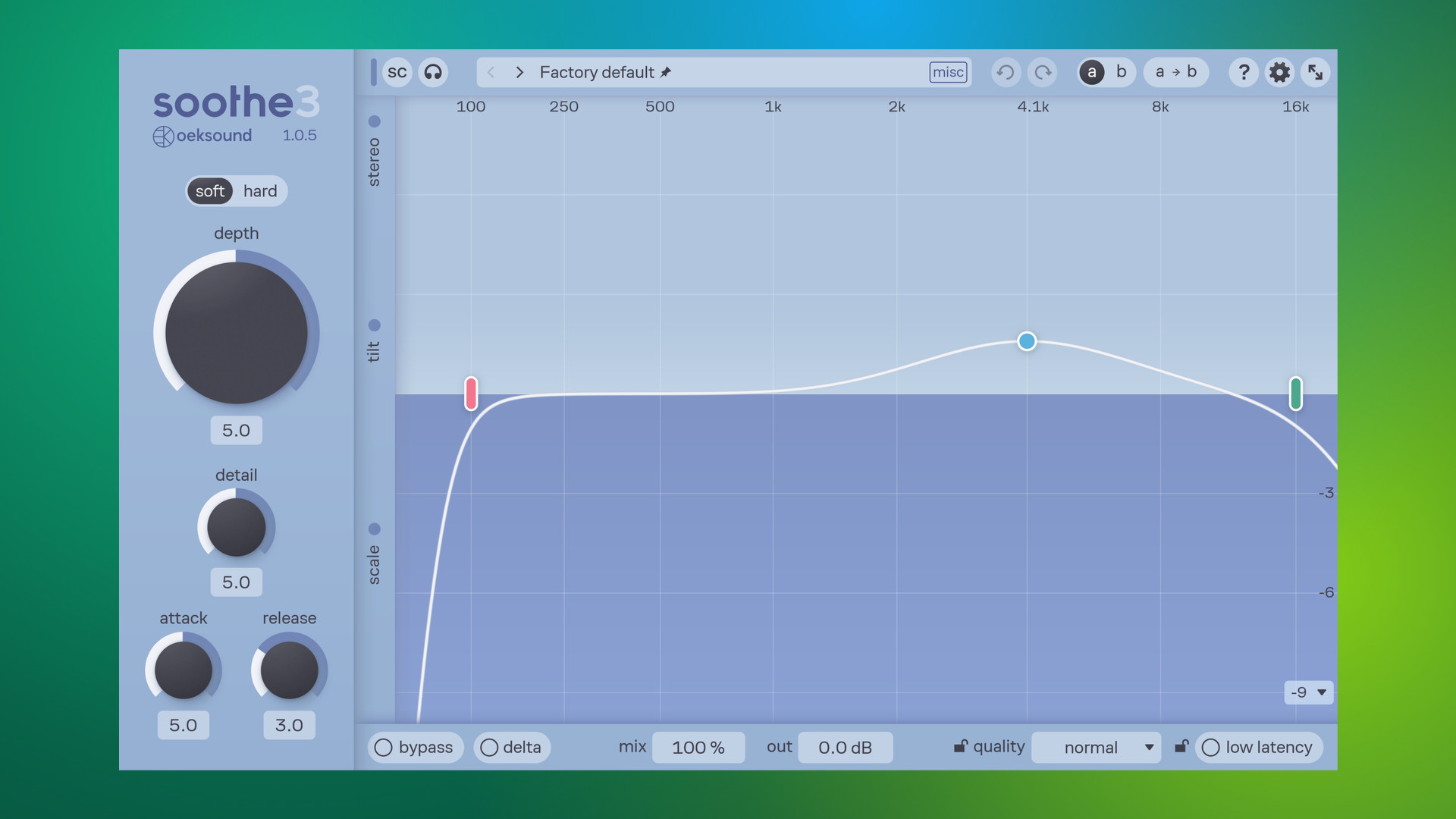
The plugin offers two processing modes: Soft and Hard. Soft mode uses an adaptive threshold and is designed for transparent resonance reduction. It is a good starting point when working with vocals and other changing audio sources because it responds to the tonal balance rather than simply reacting to input level. Hard mode is more aggressive and responds to absolute signal levels. It can provide stronger control over problematic frequencies and is also useful for creative sound design when you want to change the character of a sound.
The Depth control determines how much resonance reduction takes place, while Detail controls how narrow the cuts become. Lower Detail settings are useful for reducing broader frequency build-ups, whereas higher settings focus on more specific resonances. Attack and Release adjust how quickly the plugin reacts to changes in the audio. These controls give you more flexibility than a basic automatic de-esser or fixed equalizer.
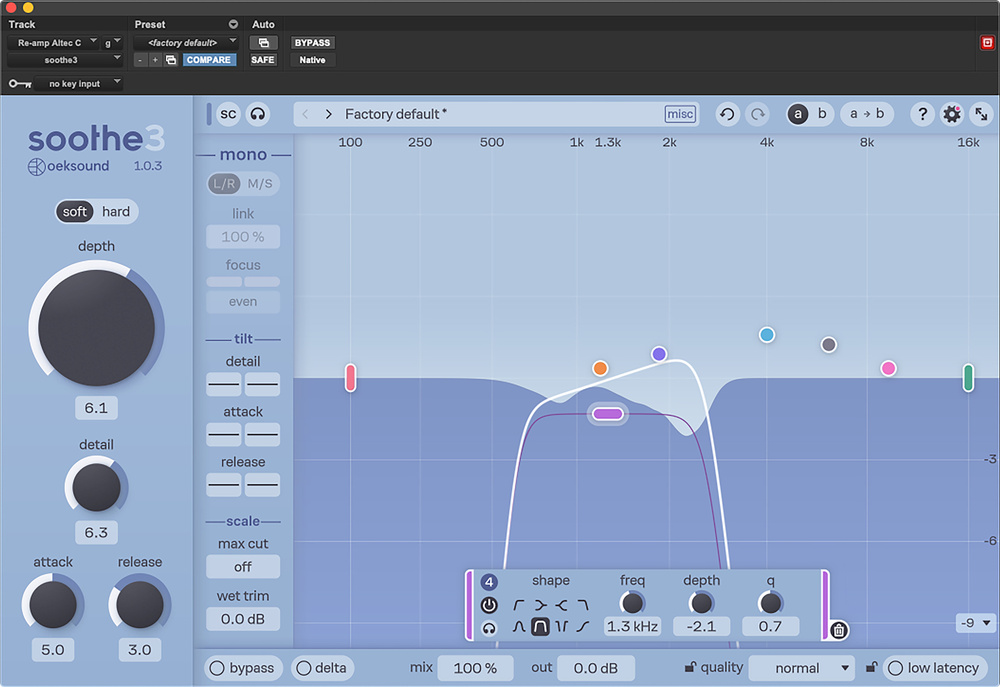
Another important improvement is the new Detail control, which combines functions that were previously handled by separate Sharpness and Selectivity controls in soothe2. This makes the processing easier to adjust without removing the detailed control that experienced engineers need. The frequency graph also lets you create and adjust nodes to focus the processing on particular areas of the spectrum. You can shape the response instead of allowing the plugin to work across the entire frequency range.
The Tilt controls provide additional flexibility by changing how Detail, Attack, and Release respond across different frequencies. The Max Cut parameter helps limit the deepest reductions, which is useful when applying stronger processing without completely removing important parts of the sound. You can also use Delta monitoring to hear only the material being removed. This makes it easier to understand what the plugin is changing and avoid unnecessary processing.
For more advanced mixing work, soothe3 includes linear-phase processing and multichannel support for configurations up to 9.1.6. These features make it suitable for stereo productions as well as surround and immersive audio projects. The sidechain section also allows the plugin to react to an external audio signal. For example, you can use a kick drum as a sidechain source to help manage overlapping low-frequency energy in a bass track.
One particularly useful addition is Low Latency Mode. It allows soothe3 to be used during recording and live tracking without adding samples of latency at base sample rates. At higher sample rates, the manufacturer specifies approximately 1 ms of latency. This is helpful when a vocalist or musician needs to hear a cleaner signal while performing instead of waiting until the mixing stage.
Mac compatibility is another strong point. The official download page lists macOS 10.14 Mojave through macOS 27, with support for Apple Silicon processors. Available formats include VST3, Audio Units, and AAX for compatible Pro Tools versions. Intel Mac support is limited to macOS 15 Sequoia, so users with Intel-based systems running newer macOS versions should check compatibility before installation.
The installation requires an oeksound account and an iLok account with iLok License Manager. A physical iLok USB dongle is not required, but an internet connection is needed for initial activation. One license allows activation on three machines and works across both Windows and macOS. Users can also try the fully featured plugin for 20 days before purchasing.
The main drawback is that soothe3 requires careful adjustment. Excessive resonance suppression can make vocals, instruments, and full mixes sound dull or unnatural. It is also a specialized processing tool rather than a complete mixing solution. You may still need traditional EQ, compression, and de-essing to handle other audio problems. Its price may also be difficult to justify for beginners who only need occasional frequency correction.
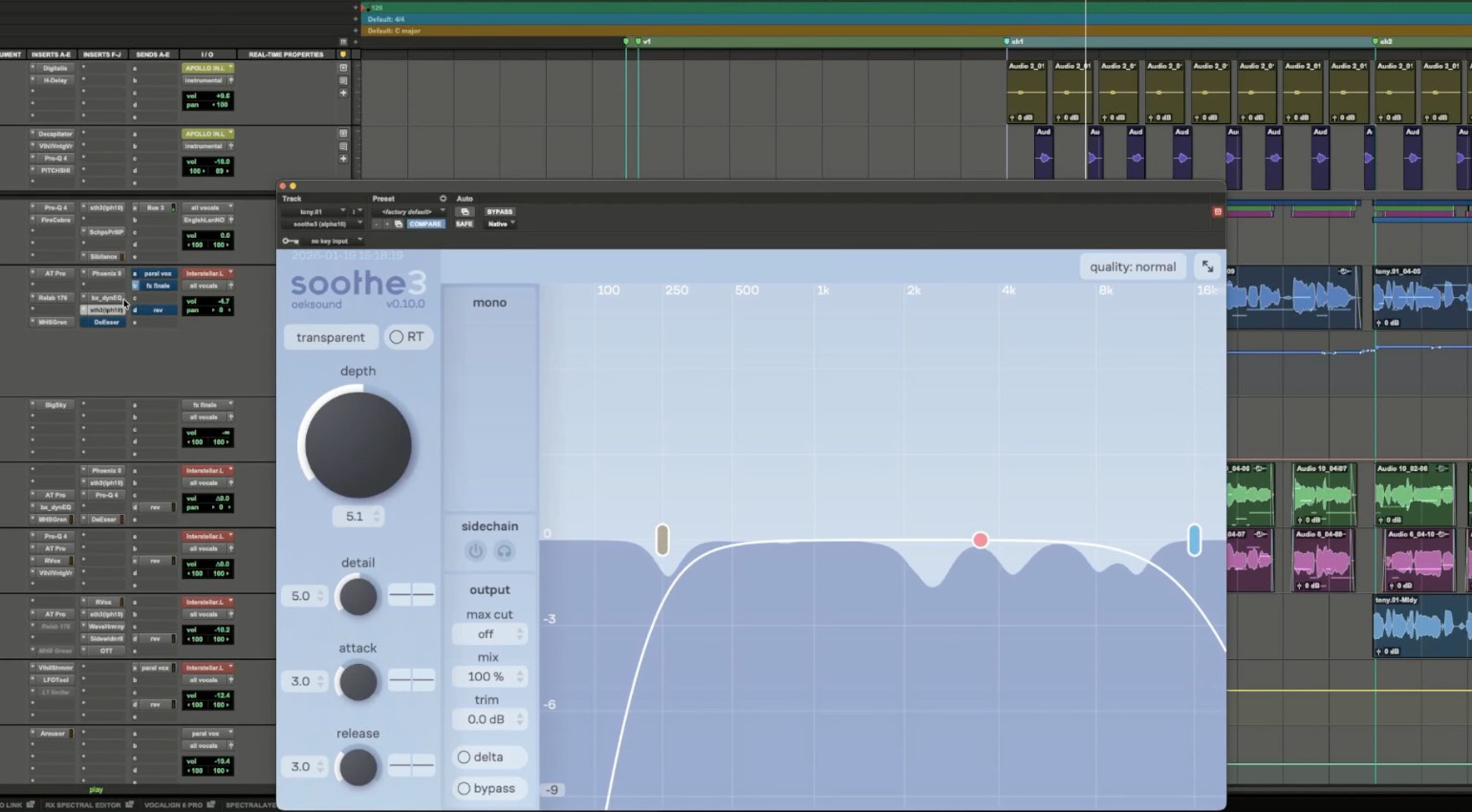
Overall, soothe3 is a powerful choice for Mac users who regularly work with vocals, dense arrangements, and demanding mixing projects. Its improved processing modes, low-latency option, detailed frequency controls, and multichannel support make it a substantial upgrade in the soothe series.
Key Features of oeksound soothe3
- Automatic resonance detection:Identifies problematic frequencies and reduces them dynamically as the audio changes.
- Soft and Hard modes:Choose transparent resonance control or more aggressive processing for creative sound shaping.
- Detail control:Adjusts the width and precision of frequency reduction.
- Depth adjustment:Controls the overall amount of resonance suppression.
- Attack and Release:Set how quickly the plugin reacts to changing frequencies.
- Tilt controls:Adjust Detail, Attack, and Release responses across different frequency ranges.
- Max Cut:Limits the deepest frequency reductions when stronger processing is applied.
- Adjustable frequency nodes:Focus processing on specific areas of the frequency spectrum.
- Delta monitoring:Listen to the removed audio to understand what the plugin is reducing.
- External sidechain:Use another audio signal to influence the plugin’s processing.
- Linear-phase mode:Provides an additional processing option for parallel and advanced stereo work.
- Low Latency Mode:Supports recording and live tracking with zero samples of latency at base sample rates.
- Multichannel support:Handles channel configurations up to 9.1.6.
- Apple Silicon support:Runs on supported Apple Silicon Macs, with AU, VST3, and AAX formats.
Best Alternatives to oeksound soothe3
- Three-Body Technology SpecCraft
SpecCraft is a dynamic resonance suppressor, spectrum compressor, and smart EQ. It automatically identifies unwanted resonances and reduces them while using spectral compensation to help preserve the overall tonal balance. It also includes sidechain controls, oversampling, and Apple Silicon support. It is a strong alternative for engineers who want automatic resonance control with additional sound-shaping options.
- Baby Audio Smooth Operator Pro
Smooth Operator Pro is a spectral balancing plugin that helps reduce harshness, muddy frequencies, and unwanted frequency build-up. Its graphical interface allows you to create processing nodes and adjust how individual frequency areas respond. It also includes stereo imaging controls and sidechain features. It is worth considering if you want a flexible alternative for cleaning vocals, instruments, and full mixes.
- FabFilter Pro-Q 4
FabFilter Pro-Q 4 is a professional equalizer with dynamic EQ, multiple filter types, and Spectral Dynamics processing. It gives you precise control over individual frequency bands and can reduce problematic frequencies when they become too strong. Unlike soothe3, it is primarily an equalizer rather than a fully automatic resonance suppressor. It is a good choice for engineers who prefer more direct control over frequency correction.
Conclusion
oeksound soothe3 is a capable resonance suppression plugin for Mac users who want to control harsh vocals, muddy instruments, piercing frequencies, and unwanted tonal build-up. Its automatic detection, Soft and Hard modes, adjustable Detail control, and frequency nodes make it useful for both quick corrections and detailed mixing work.
The addition of Low Latency Mode, linear-phase processing, and support for immersive audio formats makes it more flexible than a basic resonance removal tool. Although it requires some experience to get the best results, it can save time during mixing and help maintain a more balanced sound. For producers and engineers who regularly deal with difficult frequencies, soothe3 is a worthwhile plugin to consider.
Technical Details
- Full Name: oeksound soothe3
- Setup App File Name: oeksound soothe3
- Full Application Size: 204 MB
- Latest Version: 1.0.5
- Setup Type: AU, VST3
- Developers: oeksound
System Requirements
- Operating System: macOS 11 (Big Sur) or later
- Memory (RAM): 4/8 GB
- Hard Disk Space: 428.8 MB
- Processor: Apple Silicon (M1-M6 or newer) and Intel Core (64-bit)
Download oeksound soothe3 Latest Version Free
Click on the button below to start oeksound soothe3 Download for Mac OS X. This is completely Tested and Working Latest Version Mac OS App of oeksound soothe3. It is offline installer and standalone setup for oeksound soothe3 for Apple Macintosh. We provide Resumeable single direct link oeksound soothe3 Download for Mac.