Download JAlbum 2026 full latest version program free setup for Windows.
JAlbum 2026 for Windows Review
JAlbum 2026 is a photo and video gallery creation program for Windows users who want to turn their media collections into attractive websites. Instead of uploading individual pictures one by one, you can organize files into folders, choose a gallery design, add captions, and generate a complete website. You can then publish it on your own hosting account or use jAlbum’s online storage.
The software is useful for photographers, event organizers, artists, families, and businesses that need a flexible way to present images online. Its main strength is the control it gives you over gallery design and publishing. You do not need coding skills to create a basic gallery, although advanced users can customize templates and other settings.

Easy Gallery Creation
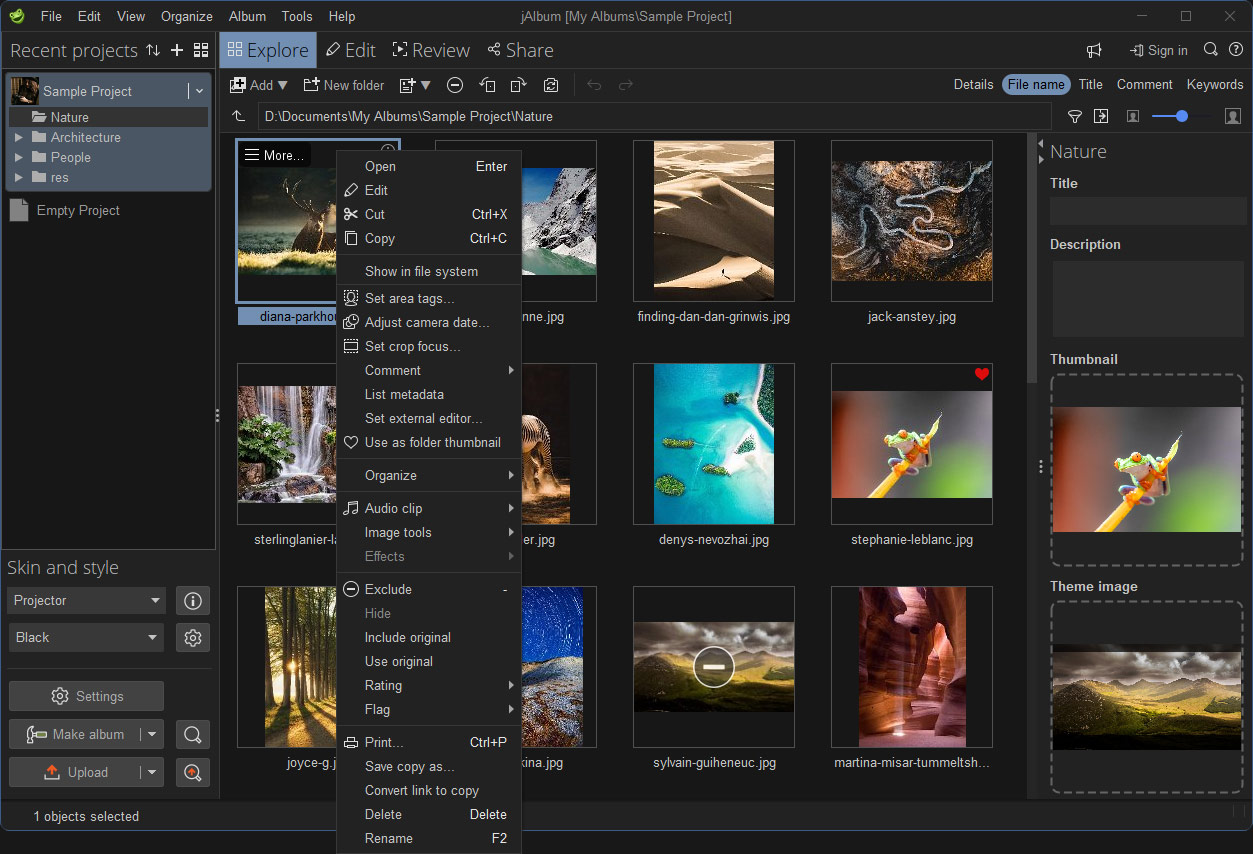
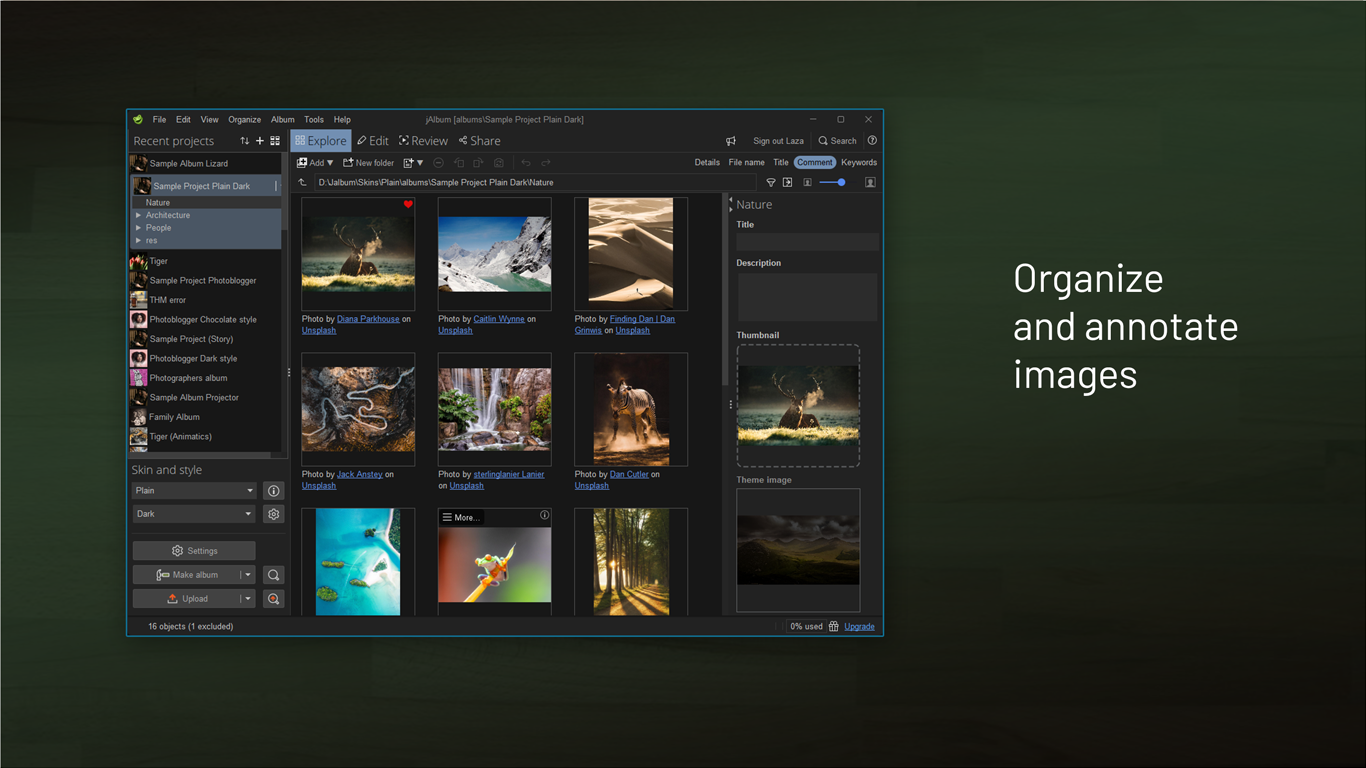
Getting started is straightforward. You can drag and drop photos and videos into a project, arrange them into folders, and add titles or descriptions. After selecting a gallery skin, click the Make button to generate your website. The built-in browser preview lets you check the result before publishing it.
Customization and Editing
JAlbum offers a wide selection of gallery skins, allowing you to change the layout, colors, navigation, and overall appearance of your albums. Its editing tools include cropping, straightening, image adjustments, text, shapes, and visual effects. You can also add watermarks and copyright information to help protect your work.
The newer versions have improved the editing experience with redesigned image tools and local face recognition. The face recognition feature can suggest names for people in your photos after you have identified them. You can review those suggestions and make corrections rather than relying on automatic results without checking.
Publishing and Sharing
One useful part of JAlbum is its built-in FTP uploader. It lets you publish galleries directly to your own website without needing a separate upload program. You can also host albums through a jAlbum account or share them directly from your computer.
The newer interface makes this process easier to follow. Version 42 introduced automatic browser previews and background album creation and uploads, so you can continue working while those tasks run. These changes are helpful when you regularly update large galleries.
Performance and Limitations
JAlbum can handle large photo collections and works with many common image formats, including JPEG, PNG, TIFF, HEIC, WebP, AVIF, and supported camera RAW files. Windows users can also take advantage of native image readers and high-quality image scaling options introduced in the 2026 updates.
However, JAlbum is primarily a gallery creation and publishing tool, not a complete replacement for advanced photo editing software. Larger galleries and additional customization options require a paid license. Users who want a simple cloud photo library with automatic syncing may find a different service more convenient.
Key Features of JAlbum 2026
- Photo and video galleries:Create website galleries from images and video files.
- Customizable skins:Choose from different templates and adjust their appearance.
- Image editing:Crop, straighten, adjust, add text, apply effects, and create watermarks.
- Photo organization:Arrange media into folders and manage captions, tags, and metadata.
- Face recognition:Identify people in photos and organize images using their names.
- FTP uploading:Publish completed galleries directly to your own website.
- Browser preview:Check gallery changes in your browser before publishing.
- Background processing:Continue working while albums are generated or uploaded.
- Flexible hosting:Use your own web hosting or jAlbum’s online storage.
- Multiple languages:Use the application in one of its supported languages.
Best Alternatives to JAlbum 2026
- Piwigo
Piwigo is a good alternative for users who want an online photo gallery with detailed access controls. It supports albums, tags, metadata, themes, and user permissions. It is especially useful for organizations and teams that need to manage and share a central media library.
- PhotoPrism
PhotoPrism focuses on organizing, searching, and sharing large photo and video collections. It offers automatic classification, location-based browsing, and powerful search tools. Its self-hosted option is suitable for users who prefer managing their own photo library, although its setup is different from JAlbum’s desktop publishing workflow.
- digiKam
digiKam is an open-source photo management application for Windows. It offers photo organization, tagging, RAW image support, editing tools, and an HTML gallery export feature. It is a better choice for users who want to manage and work with their photo collection locally rather than focus mainly on publishing customized web galleries.
Conclusion
JAlbum 2026 is a practical option for Windows users who want to create and publish customized photo and video galleries. Its templates, image editing tools, folder organization, and built-in FTP uploader make it useful for photographers, families, and businesses. The newer interface and automatic preview features also make the publishing process more convenient.
The free version is worth trying for smaller galleries, but its 24-object limit may not suit larger projects. If you want greater control over gallery design and prefer publishing to your own website, JAlbum is worth considering. For general photo organization or a shared online media library, alternatives such as digiKam, PhotoPrism, and Piwigo may be a better fit.
JAlbum 2026 Technical Setup Details
- Software Full Name: JAlbum 2026
- Setup File Name: JAlbum_42.0.8.rar
- Setup Size: 319 MB
- Setup Type: Offline Installer / Full Standalone Setup
- Compatibility Mechanical: 32 Bit (x86) / 64 Bit (x64)
- Developers: JAlbum
System Requirements for JAlbum 2026
- Operating System: Windows 7/8/10
- RAM: 2 GB
- Hard Disk: 500 MB
- Processor: Intel Dual Core or higher processor
JAlbum 2026 Free Download
Download JAlbum 2026 free latest full version offline direct download link for full offline setup by clicking the button below.