Download Lightjams 2026 full latest version program free setup for Windows. Lightjams 2026 is an interactive lighting-control software for controlling DMX-based lighting systems, LED installations, moving lights, and other compatible lighting sources.
Lightjams 2026 Review
Lightjams 2026 is an interactive DMX lighting control software designed for live shows, DJs, artists, lighting designers, VJs, clubs, events, and creative installations. It lets users create lighting effects that react to music, MIDI, OSC, DMX, video, time, and other live signals. This makes it useful for people who want more than simple preset lighting scenes. Lightjams focuses on real-time control, creative effects, and flexible lighting automation.
For live performers, one of the biggest benefits is music-reactive lighting. Lightjams can analyze music in real time and use audio information to control lighting effects. Users can also connect MIDI controllers and other external devices. This helps performers change colors, intensity, movement, and effects during a live show without manually adjusting every light. Lightjams also supports major lighting network protocols. It can send and receive lighting data through Art-Net and sACN E1.31. The software can output up to 128 universes for each of these network protocols. It also supports compatible USB to DMX interfaces, making it possible to connect computer-based lighting control with physical DMX fixtures.
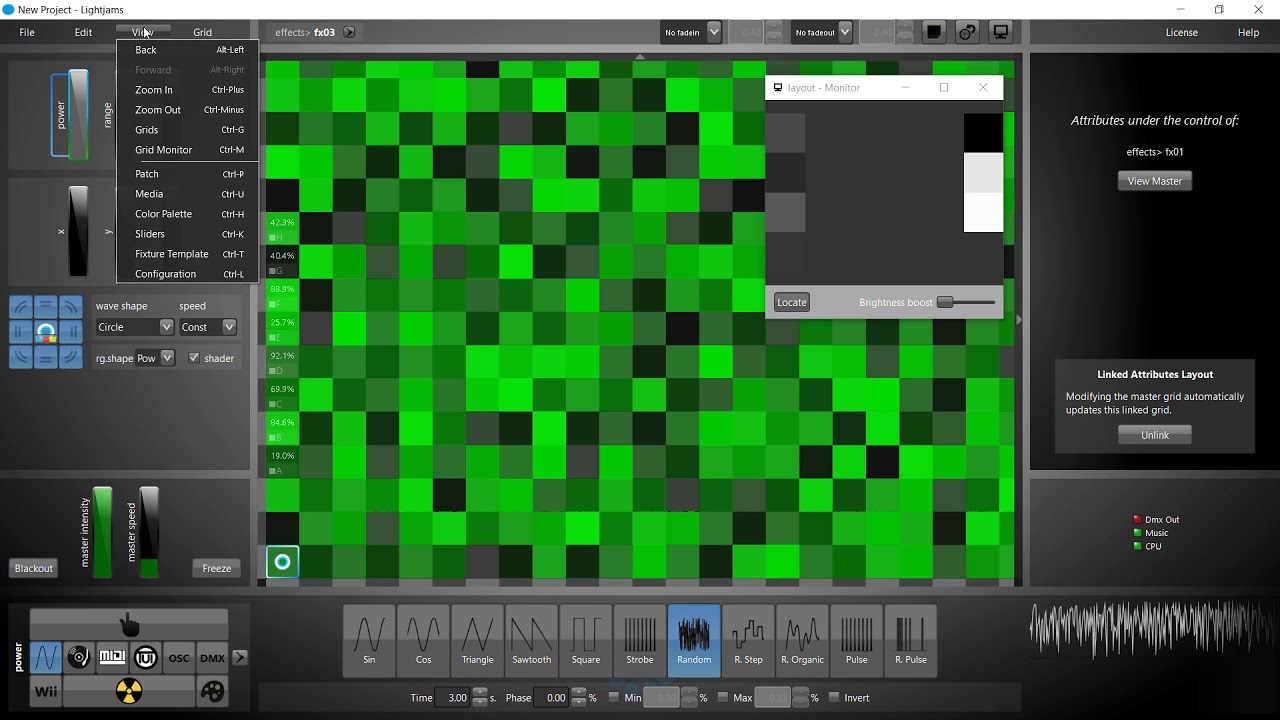
Another strong feature is its generative lighting engine. Users can combine grids, sources, colors, intensity controls, and other parameters to build custom effects. This is useful when standard lighting presets are not enough. The software also includes scripting options, which give experienced users more control over how effects behave. Lightjams is also suitable for LED and pixel mapping projects. It supports video inputs and technologies such as Spout and NDI. Users can use live video as a source for lighting effects and create visual patterns for LED walls and matrices. This makes the software useful for concerts, interactive art, installations, and other visual productions.
The built-in 2D visualizer is another useful tool. It lets users preview lighting results in real time without needing physical lights connected during every stage of development. This can save setup time and make it easier to test colors, effects, and fixture behavior before a live performance. Lightjams can also work with music production software through its VST plugin. This allows a compatible DAW to control lighting parameters. MIDI, OSC, Ableton Link, and other integrations further expand its usefulness for synchronized music and lighting performances.
For installations, the scheduler can automate lighting based on dates, times, sunrise, and sunset. This is helpful for architectural lighting and projects that need to operate without constant manual control. Lightjams is also designed with permanent installations in mind, with features focused on reliable long-term operation. Users searching for Lightjams 2026 Free Download should understand that the official version is commercial software. The official trial provides access to all features, including DMX output, but it pauses for 30 seconds every 15 minutes.
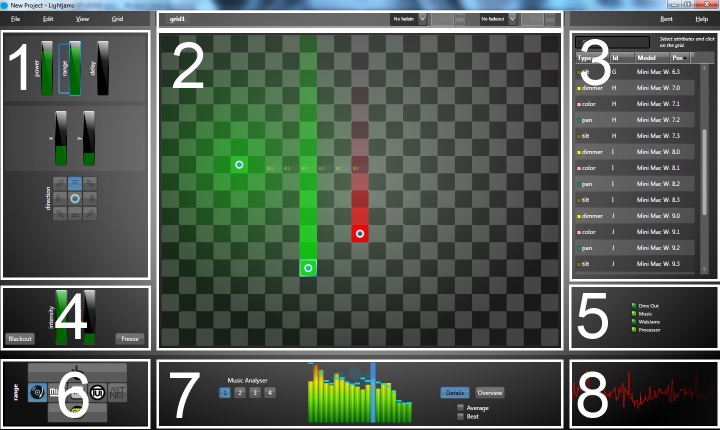
Lightjams is primarily a Windows application. Mac users can run it through Boot Camp or Parallels, according to the official download information. The current listed minimum requirements include a dual-core 2 GHz processor, 2 GB RAM, and a 1024 × 768 display. Overall, Lightjams 2026 is a powerful option for users who need interactive and programmable lighting control. Its strongest areas are music-reactive effects, DMX control, Art-Net, sACN, MIDI, OSC, pixel mapping, video integration, scheduling, and real-time visualization. It may be more advanced than necessary for simple home lighting, but it is a strong fit for live performers, lighting designers, VJs, event teams, and creative installations.
Key Features of Lightjams 2026
- Interactive DMX lighting control.
- Real-time lighting effects.
- Music-reactive lighting.
- Real-time music analysis.
- MIDI integration.
- OSC input and output.
- DMX input and output.
- Art-Net support.
- sACN E1.31 support.
- Up to 128 Art-Net output universes.
- Up to 128 sACN output universes.
- Up to 16 Art-Net and sACN input universes.
- USB to DMX interface support.
- Enttec DMX interface support.
- DMXKing interface support.
- Generative lighting effects.
- Custom lighting scripting.
- Pixel mapping.
- LED wall and matrix support.
- Video-based lighting effects.
- Native Spout support.
- Native NDI support.
- Built-in media server.
- Real-time 2D visualizer.
- Moving-head fixture control.
- Custom fixture editor.
- Ableton Link integration.
- VST 2.4 plugin support.
- DAW-based lighting control.
- OS2L integration for VirtualDJ.
- Date and time scheduling.
- Sunrise and sunset automation.
- RGB, RGBW, RGBA, and other color formats.
- 16-bit color support.
- Live performance control.
- External device control.
- Automatic USB DMX interface detection.
- Support for permanent lighting installations.
- Fully featured trial version.
- Windows 64-bit support.
- Mac use through Boot Camp or Parallels.
Lightjams 2026 Technical Setup Details
- Software Full Name: Lightjams 2026
- Setup File Name: Lightjams_1.0.0.774.rar
- Setup Size: 41 MB
- Setup Type: Offline Installer / Full Standalone Setup
- Compatibility: 32 Bit (x86) / 64 Bit (x64)
- Developers: Lightjams
System Requirements for Lightjams 2026
- Operating System: Windows 7/8/10
- RAM: 2 GB
- Hard Disk: 1 GB
- Processor: Intel Dual Core or higher processor
Lightjams 2026 Free Download
Download Lightjams 2026 free latest full version offline direct download link for full offline setup by clicking the button below.