Download SysGauge Ultimate 2026 full latest version program free setup for Windows. SysGauge Ultimate 2026 is a reliable and powerful system and performance monitoring which allows you to monitor usage statistics of your computer’s CPU and memory, as well as check for system performance.
SysGauge Ultimate 2026 Review
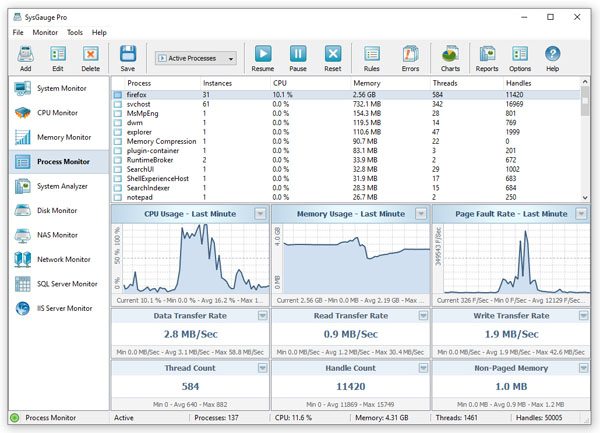
SysGauge Ultimate 2026 is an advanced Windows system and performance monitoring tool for users who need more information than the standard Windows Task Manager provides. It helps monitor CPU, memory, disk activity, network usage, running processes, operating system status, and storage performance. It is useful for IT administrators, system engineers, developers, and advanced Windows users who need to find performance problems quickly. The software provides a customizable monitoring interface. Users can select the counters they need and create dedicated monitoring profiles. SysGauge can show minimum, maximum, and average values for monitored counters. This makes it easier to identify high CPU usage, memory pressure, disk activity, or unusual network traffic. It can also monitor individual processes to show their CPU, memory, thread, handle, and data transfer usage.
One of the strongest parts of SysGauge Ultimate is its reporting system. Monitoring results can be saved in formats such as HTML, PDF, Excel, CSV, XML, and text. This is useful when an administrator needs to document a performance problem or compare system activity over time. The software can also create system status analysis reports that help classify system conditions. SysGauge Ultimate is also useful for automated monitoring. Users can create rules based on specific performance values. When a selected limit is reached, SysGauge can display notifications, play sounds, send email alerts, or execute custom actions. This helps users react to resource problems without constantly watching the monitoring window.
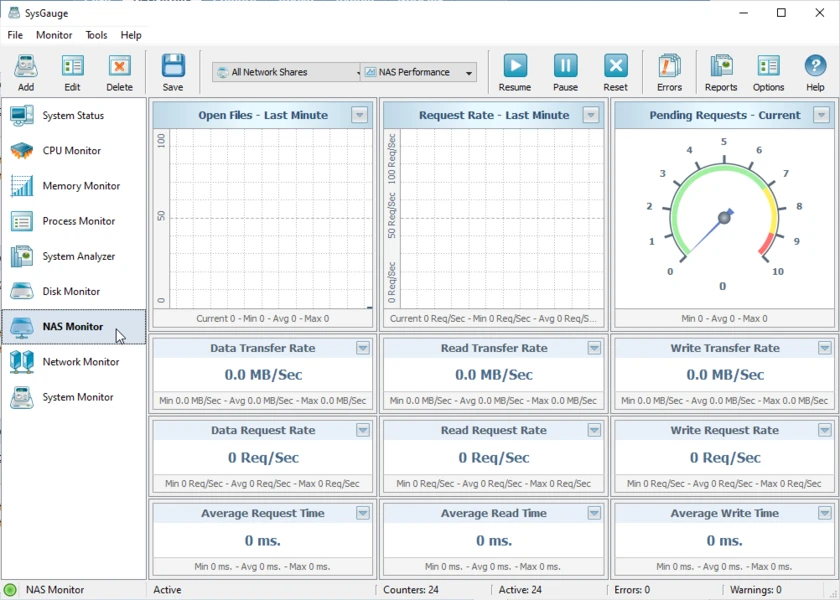
Another important feature is remote monitoring. SysGauge can connect to remote computers and monitor resources such as CPU, memory, network activity, disk space, and disk performance. Ultimate also includes a command-line utility that can run monitoring tasks and save reports from batch files or scripts. This makes it useful for administrators who want to automate regular system checks. For professional environments, SysGauge Ultimate includes dedicated monitoring for technologies such as SQL Server, IIS, NAS, iSCSI, and Active Directory. SQL Server monitoring can track database activity and performance counters. IIS monitoring can track connections, users, HTTP requests, and data transfers. The latest 2026 releases also added a dedicated Active Directory monitor for performance, health, security, and replication status.
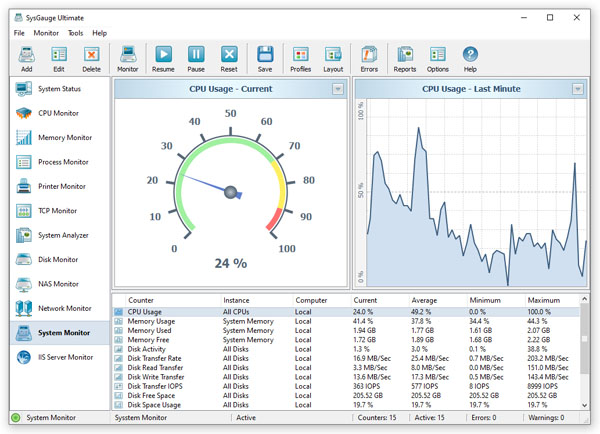
SysGauge Ultimate also supports simultaneous monitoring operations. This allows users to open different monitors separately and place them across multiple physical displays. It is particularly useful for IT professionals who need to watch several performance areas at the same time. Overall, SysGauge Ultimate 2026 is a strong choice for advanced Windows monitoring. It combines real-time performance tracking, detailed reports, alerts, remote monitoring, server monitoring, and command-line automation in one application. It may be more than a basic home user needs, but it can be valuable for administrators and professionals who need detailed system performance information and automated monitoring tools.
Key Features of SysGauge Ultimate 2026
- Real-time system performance monitoring.
- CPU usage monitoring.
- Memory usage monitoring.
- Process resource monitoring.
- Disk activity monitoring.
- Disk space monitoring.
- Disk transfer rate monitoring.
- Disk IOPS monitoring.
- Network activity monitoring.
- Operating system status monitoring.
- File system monitoring.
- USB activity monitoring.
- Individual process analysis.
- Process CPU and memory monitoring.
- Process data transfer monitoring.
- Active Directory monitoring.
- SQL Server monitoring.
- IIS Server monitoring.
- NAS Server monitoring.
- iSCSI Target monitoring.
- Printer monitoring.
- Remote computer monitoring.
- Custom monitoring profiles.
- System status analysis.
- Performance charts.
- Minimum, maximum, and average values.
- HTML reports.
- PDF reports.
- Excel reports.
- CSV reports.
- XML reports.
- Text reports.
- SQL database reporting.
- Email notifications.
- Sound notifications.
- Custom monitoring actions.
- Automated monitoring rules.
- Command-line utility.
- Batch and shell script support.
- Simultaneous monitoring operations.
- Multi-monitor support.
- Dedicated desktop shortcuts for monitors.
- Useful for IT administrators and advanced Windows users.
- Current 2026 releases include Active Directory monitoring and improved process monitoring.
SysGauge Ultimate 2026 Technical Setup Details
- Software Full Name: SysGauge Ultimate 2026
- Setup File Name: SysGauge_Ultimate_13.4.12.rar
- Setup Size: 45 MB
- Setup Type: Offline Installer / Full Standalone Setup
- Compatibility: 32 Bit (x86) / 64 Bit (x64)
- Developers: SysGauge
System Requirements for SysGauge Ultimate 2026
- Operating System: Windows 7/8/10
- RAM: 1 GB
- Hard Disk: 500 MB
- Processor: Intel Dual Core or higher processor
SysGauge Ultimate 2026 Free Download
Download SysGauge Ultimate 2026 free latest full version offline direct download link for full offline setup by clicking the button below.