Download NTLite Enterprise 2026 full latest version program free setup for Windows. NTLite Enterprise 2026 is a professional Windows customization and image-engineering program that can be used to customize Windows components, integrate updates and drivers, automate installation tasks, apply registry tweaks and scripts, and create a more personalized Windows environment.
NTLite Enterprise 2026 for Windows Review
NTLite Enterprise 2026 is a Windows customization and deployment tool for users who need more control over Windows installation files and existing Windows systems. It can remove unwanted components, add updates and drivers, configure Windows settings, create unattended installations, and build customized bootable ISO files. It can also edit an already installed copy of Windows without requiring a fresh installation. The Enterprise edition is mainly aimed at organizations, IT administrators, and users who regularly prepare Windows installations for multiple computers. Instead of configuring every PC separately, you can prepare one Windows image with the settings, updates, drivers, and applications you need and reuse that setup.
NTLite works with common Windows image formats including ISO, WIM, ESD, and SWM. It can also create bootable ISO files and convert between some supported image formats. The 2026 release is compatible with current Windows versions, including Windows 11 26H1, 25H2, 24H2, 23H2, and earlier supported releases. It also supports Windows 10 versions and several Windows Server releases. The latest release listed by NTLite is v2026.08.11723, released on August 21, 2026. The standard current installer requires a 64-bit Windows 10 or newer host, while legacy installers are available for older Windows systems.
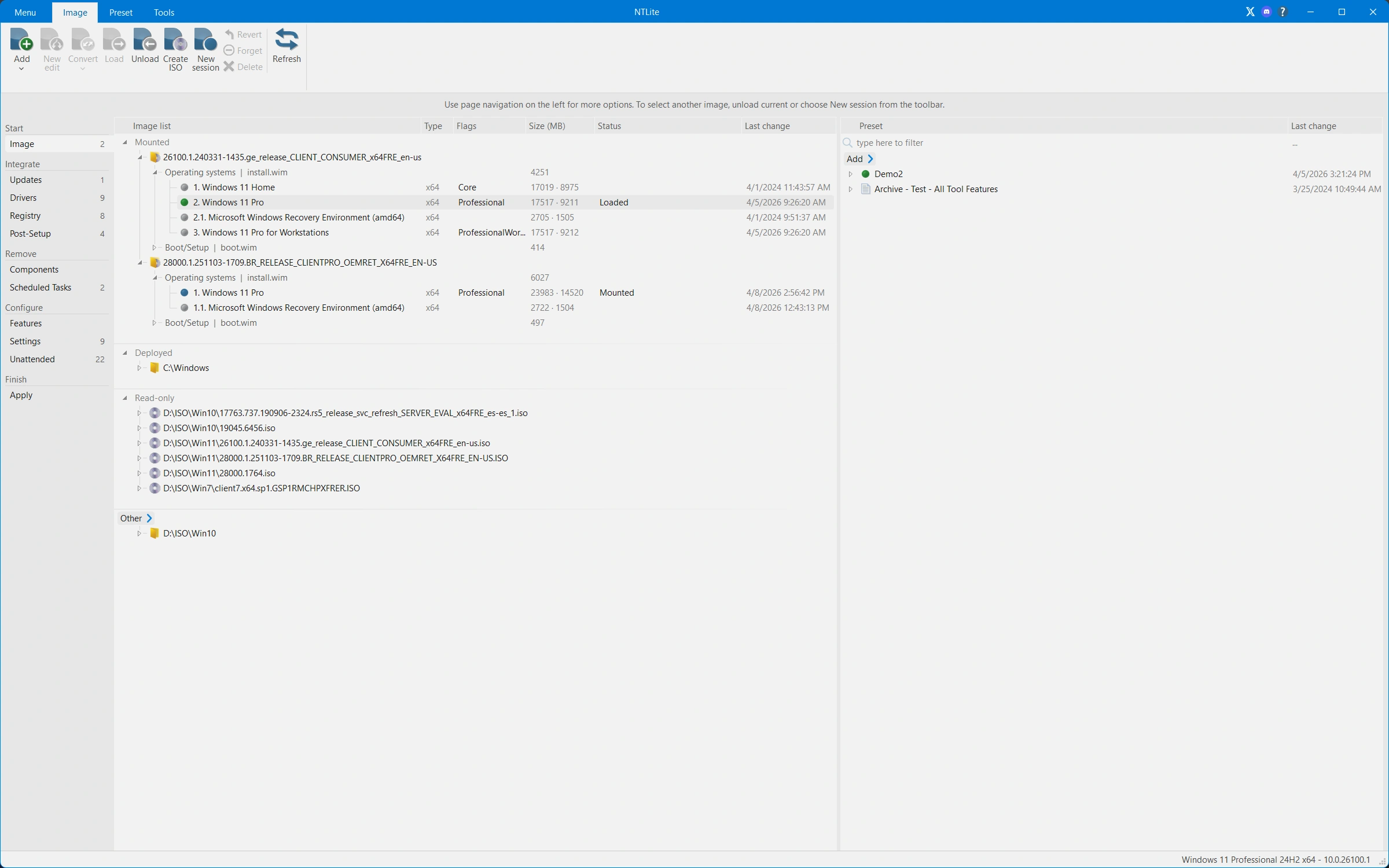
One of NTLite’s most useful features is image editing. You can load a Windows installation image, select the edition you want, make your changes, and then save the customized image. This is useful when you want several computers to start with the same Windows configuration. The component removal feature gives you control over parts of Windows that you don’t need. This can include certain applications, services, scheduled tasks, and other components. The important point is that removing Windows components can affect other functions, so it is better to make small changes and test the resulting installation instead of removing everything at once.
NTLite also lets you integrate Windows updates directly into an installation image. This can save time when preparing multiple PCs because you don’t have to install the same updates manually after every Windows installation. The software also provides update caching and compatibility analysis to help with repeated image preparation. Driver integration is another practical feature. You can add drivers to an image before deployment and target them toward the hardware that needs them. This is useful for organizations that repeatedly install Windows on similar computers.
The unattended setup tools are particularly useful for business deployments. You can prepare settings such as user accounts, disk partitions, regional options, and domain-related setup before installation. The result is a Windows installation that requires much less manual input. NTLite can also edit a deployed Windows installation. Instead of creating a new ISO, you can work with a running Windows installation, another Windows partition, or a mounted VHD/VHDX image. This makes the program useful for testing and maintenance as well as fresh deployments.
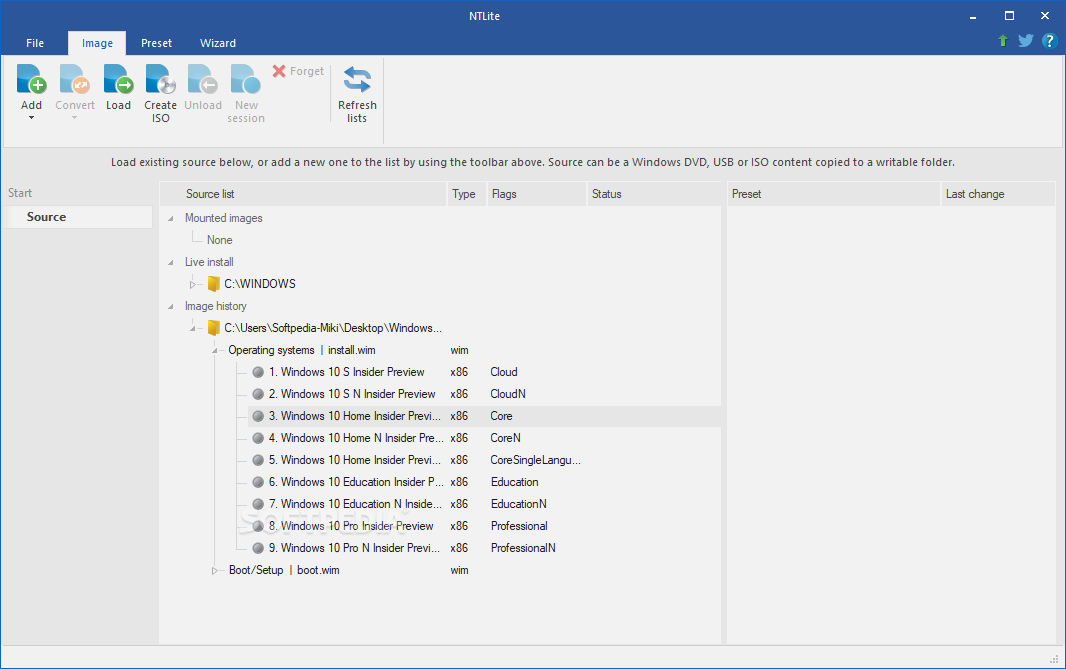
Presets are another important part of the workflow. Once you’ve created a Windows configuration that works for your needs, you can save the settings and reuse them on another image. This reduces repetitive work when preparing multiple systems. The current NTLite installer is designed mainly for 64-bit Windows 10 and newer systems. NTLite also provides legacy installers for 64-bit and 32-bit Windows 7 or newer hosts. For Windows 11 image editing, NTLite currently lists support for releases including 26H1, 25H2, 24H2, 23H2, and older supported builds. Windows 10 versions are also listed, along with selected Windows Server releases. ARM64 support needs a little caution. NTLite lists ARM64 image editing as an alpha or preview feature, and ARM64 is not supported as the host platform for running the application itself.
NTLite Enterprise 2026 for Windows Deployment
NTLite becomes more useful when the same Windows setup needs to be installed on several computers. Instead of repeating the same configuration manually, an administrator can prepare a customized image once and use it as the starting point for deployment. For example, a small business may want Windows 11 installed with certain updates, drivers, settings, applications, and user preferences already prepared. NTLite can put many of these changes into the installation image before it reaches the target computer.
The same approach can help when building test machines. Developers and IT teams can maintain different presets for different purposes rather than changing the same Windows settings every time. There is also a practical advantage when reinstalling Windows frequently. A customized installation image can reduce the amount of work required after setup. You still need to test the image carefully, but you don’t have to repeat every basic configuration step.
NTLite Enterprise 2026 for Windows Debloating
NTLite is often associated with Windows debloating because it can remove selected components and applications. However, removing more components does not automatically make Windows better. A common mistake is creating an extremely stripped-down Windows image and discovering later that Windows Update, Microsoft Store features, hardware support, or another application depends on something that was removed.
A better approach is to identify what you actually don’t need, remove those components, and test the image. NTLite’s own community discussions show that users often focus on removing things such as Xbox-related applications, older Microsoft components, or other software that isn’t useful in their particular environment. This is especially important for Enterprise installations. A business computer may need features that a personal gaming PC doesn’t. A component that looks unnecessary can still be required by a corporate application, security tool, management system, or update process.
Key Features of NTLite Enterprise 2026
- Customize Windows installation images.
- Edit ISO, WIM, ESD, and SWM files.
- Create customized bootable Windows ISOs.
- Remove unwanted Windows components.
- Remove selected applications and features.
- Integrate Windows updates.
- Integrate drivers.
- Add registry tweaks.
- Configure Windows settings before installation.
- Create unattended Windows installations.
- Automate user account creation.
- Configure disk partitions during setup.
- Configure regional settings automatically.
- Configure domain join settings.
- Save customization presets for reuse.
- Edit an existing Windows installation.
- Work with mounted VHD and VHDX installations.
- Configure Windows Features and Features on Demand.
- Integrate language packs.
- Support Windows 11 and Windows 10.
- Support selected Windows Server versions.
- Support Intel and AMD x64 systems.
- Support Windows 11 ARM64 image editing in preview.
- Work locally without requiring cloud processing.
- No .NET installation is required.
- Support repeated deployment workflows.
NTLite Enterprise 2026 Alternatives
DISM++
DISM++ is a free Windows management and optimization tool and is one of the commonly listed alternatives to NTLite. It can be useful for users who want Windows cleanup and management features without purchasing a commercial NTLite license.
WinReducer
WinReducer is another Windows customization tool focused on creating modified Windows installation media. It is worth considering if your main goal is removing unwanted components and preparing a smaller installation.
Win Toolkit
Win Toolkit is designed for Windows installation customization and can be useful for users who want a simpler alternative for preparing customized Windows media. It is commonly listed among NTLite alternatives.
DISMTools
DISMTools provides a graphical way to work with Windows images and deployment tools. It can be a good option for users who want more direct control over Windows image management without using NTLite.
DISM GUI
DISM GUI provides a graphical interface for Windows deployment and image management tasks. It focuses more on Windows deployment tools than on the complete NTLite workflow.
NTLite Enterprise 2026 Technical Setup Details
- Software Full Name: NTLite Enterprise 2026
- Setup File Name: NTLite_Enterprise_2.1.1.7917.rar
- Setup Size: 15 MB
- Setup Type: Offline Installer / Full Standalone Setup
- Compatibility: 32 Bit (x86) / 64 Bit (x64)
- Developers: NTLite
System Requirements for NTLite Enterprise 2026
- Operating System: Windows 7/8/10
- RAM: 4 GB
- Hard Disk: 2 GB
- Processor: Intel Dual Core or higher processor
NTLite Enterprise 2026 Download
Download NTLite Enterprise 2026 free latest full version offline direct download link for full offline setup by clicking the button below.