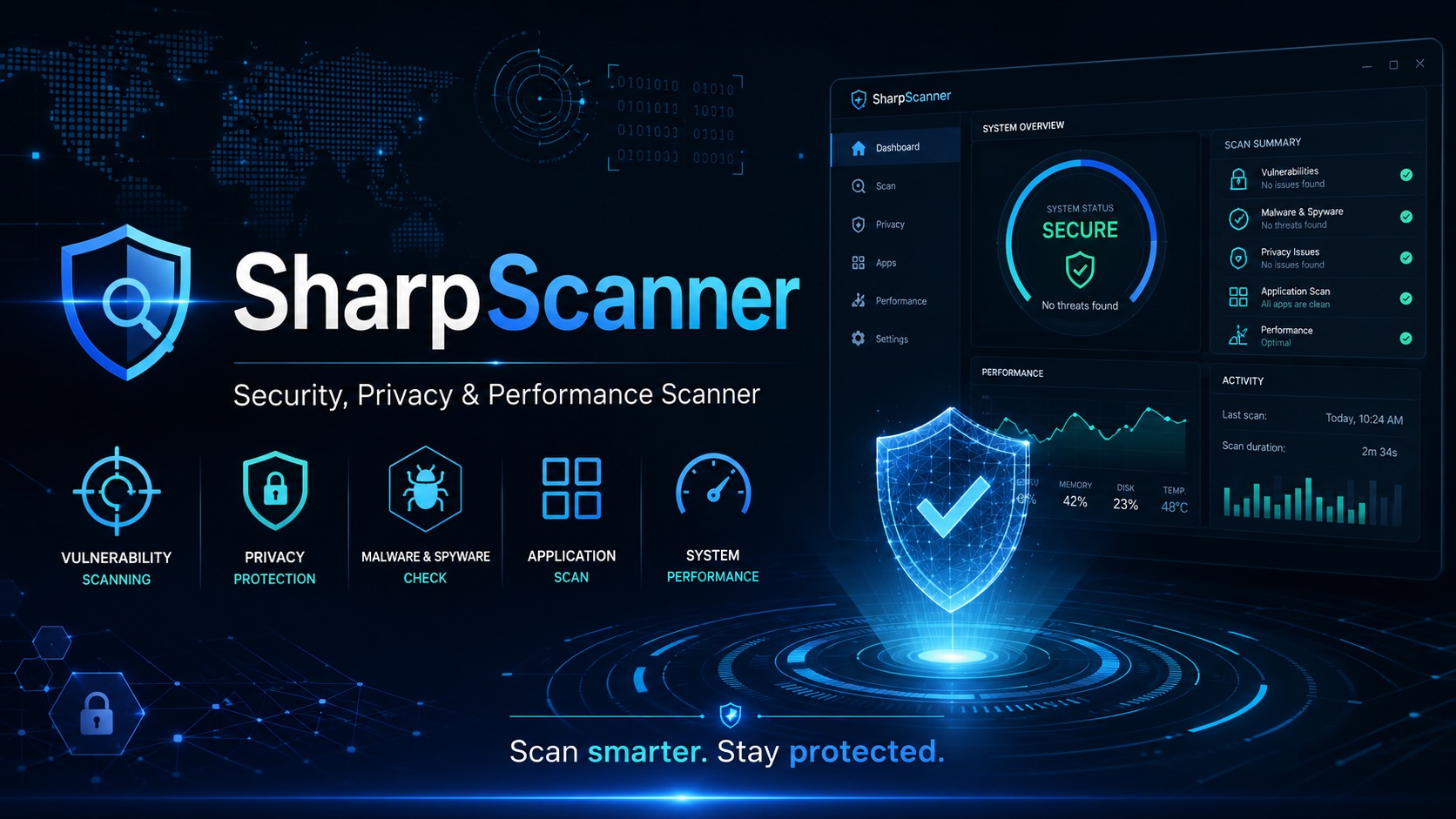
Download SharpScanner 2026 full latest version program free setup for Windows. SharpScanner 2026 is a powerful security, privacy, and optimization utility which allows users to check system security, identify malware, manage privacy, control startup applications, and monitor PC hardware and performance without needing several separate utilities.
SharpScanner 2026 for Windows Review
SharpScanner 2026 is a Windows security and system maintenance tool designed to bring several everyday PC checks into one application. It can check installed software for known security problems, scan for malware, review browser tracking cookies, manage programs that start with Windows, and monitor CPU, RAM, disk, and network activity. The main idea is simple: instead of using separate tools for each task, SharpScanner puts these checks on one dashboard.
The software is available through the Microsoft Store and is also listed by its developer, Spaqitech. The developer describes SharpScanner as a local application that does not collect or transmit user data. Its vulnerability checks use information from the OSV database and CVE records, while its malware scan uses Microsoft’s Malicious Software Removal Tool.
SharpScanner is not a replacement for every security product on Windows. Its strength is bringing several useful checks together in a simple interface. For example, you can review vulnerable applications, examine startup entries, check tracking cookies, and see current system activity without moving between several different utilities.
The current SharpScanner release available in 2026 is listed as version 3.0.2. It supports Windows 10 version 19041 or later and Windows 11, with both x86 and x64 systems supported. The listed minimum memory requirement is 2 GB, with 4 GB recommended. One of SharpScanner’s most useful features is its vulnerability check. The program examines installed applications and compares them against vulnerability information. The developer says it uses OSV database information and CVE queries to identify known issues and assign severity levels.
This is useful because an application can become a security concern even when Windows itself is fully updated. An old version of a browser, media player, development tool, or other application may have a known vulnerability. SharpScanner therefore gives users another way to see which installed applications deserve attention. The important limitation is that a vulnerability scanner doesn’t automatically make an application safe. If SharpScanner reports an outdated program, you still need to update or remove that program yourself. The result should be treated as a warning that requires action, not as proof that the computer is completely secure.
Malware Scanning
SharpScanner also includes malware scanning through Microsoft’s Malicious Software Removal Tool. The developer describes quick scanning, progress tracking, and scan results as part of the malware protection feature. This approach is useful because the program isn’t trying to build a completely separate antivirus engine. Instead, it makes Microsoft’s existing malware-removal technology accessible from its security dashboard. That distinction matters. SharpScanner shouldn’t be viewed as a replacement for Windows Security or a full antivirus suite. Its malware feature is better understood as an additional checking option inside a wider system-maintenance application.
Privacy and Cookie Management
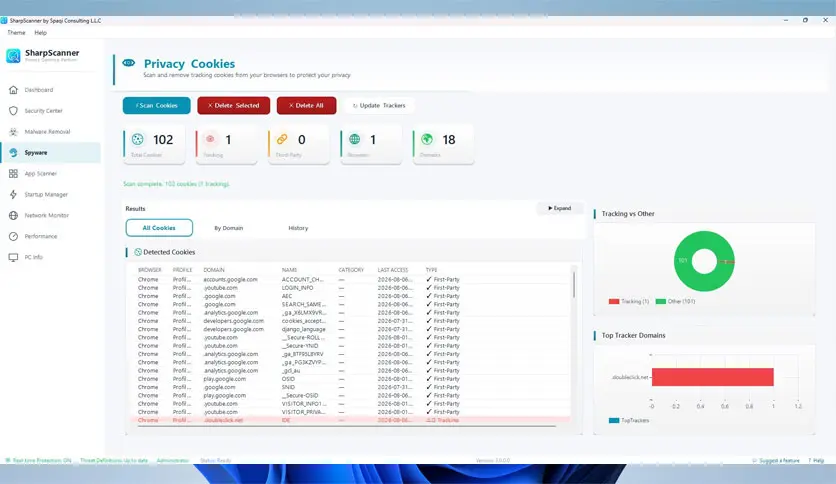
SharpScanner can inspect cookies in several popular browsers, including Chrome, Edge, Firefox, Brave, and Opera. The developer says the tool identifies more than 60 known tracking domains and provides controls for reviewing and removing tracking cookies. This can be helpful on a shared or frequently used PC where browsers have accumulated a large amount of tracking data.
The privacy feature is also different from deleting all browser data. Cookies can contain useful information, including login sessions and website preferences. Removing them can sign you out of websites or reset certain preferences. For that reason, it’s better to review what is being removed rather than treating every cookie as dangerous.
Startup Manager
SharpScanner includes a startup manager that checks several places where Windows applications can configure themselves to launch automatically. The program can examine registry startup entries, startup folders, and Task Scheduler items. Users can enable or disable supported startup entries from the application.
This can help when Windows takes longer to become usable after login. Not every startup item should be disabled, though. Some entries belong to security software, hardware drivers, cloud-sync tools, or other services that you may actually need. A safer approach is to disable one unnecessary item at a time and check whether anything you rely on stops working.
Performance Monitoring
SharpScanner provides live information about CPU, RAM, and disk usage. It also shows network activity and other system information from the same dashboard. This is useful when the computer suddenly feels slow. For example, if the system becomes sluggish, you can check whether CPU usage is unusually high, whether available memory is low, or whether disk activity is staying near its limit. SharpScanner doesn’t automatically explain every performance problem. It gives you information that can help identify where to look next. That makes it more useful as a monitoring and troubleshooting tool than as a one-click speed booster.
Network Monitoring
The network section can show active connections, open ports, and network adapter information. This can be useful for users who want a quick look at what is happening on their computer’s network connection. Open ports aren’t automatically a security problem. Windows and legitimate applications can use them for normal communication. The important question is which application is listening and whether that service is expected. This is one area where beginners should avoid making changes simply because a port appears in the list.
Key Features of SharpScanner
- Checks installed applications for known vulnerabilities.
- Uses OSV information for vulnerability checks.
- Provides CVE-based security information.
- Classifies vulnerability severity.
- Scans the system for malware.
- Uses Microsoft’s Malicious Software Removal Tool.
- Provides quick malware scanning.
- Shows scan progress.
- Reviews browser tracking cookies.
- Supports Chrome, Edge, Firefox, Brave, and Opera.
- Detects known tracking domains.
- Helps remove unwanted tracking cookies.
- Provides a privacy risk overview.
- Manages Windows startup programs.
- Checks startup registry entries.
- Checks Windows startup folders.
- Checks Task Scheduler entries.
- Lets users enable or disable startup items.
- Monitors CPU usage.
- Monitors RAM usage.
- Monitors disk activity.
- Shows active network connections.
- Displays open network ports.
- Shows network adapter information.
- Provides basic hardware information.
- Displays CPU and memory details.
- Shows graphics hardware information.
- Displays motherboard information.
- Shows system uptime.
- Provides a security score.
- Shows vulnerability severity charts.
- Provides a recent activity log.
- Combines security and performance information in one dashboard.
- Performs most checks locally.
- Supports Windows 10 and Windows 11.
- Available for x86 and x64 systems.
- Available through the Microsoft Store.
SharpScanner Alternatives
Windows Security
Windows Security is the first alternative to consider because it is already included with modern Windows installations. It provides antivirus protection, firewall controls, account protection, and other built-in security features.
It is a better choice if your main priority is ongoing Windows protection rather than combined vulnerability, cookie, startup, and performance monitoring.
Malwarebytes
Malwarebytes is a stronger alternative when malware detection and removal are the main concern. It is more focused on malware protection than SharpScanner’s broader system-management approach.
Autoruns
Microsoft Sysinternals Autoruns is a better option if startup management is your primary requirement. It provides much deeper information about programs and services that configure themselves to start automatically.
SharpScanner is easier for general users, while Autoruns is more suitable when you need detailed startup investigation.
BleachBit
BleachBit is a useful alternative for users mainly interested in cleaning unnecessary files and privacy-related data. It is more focused on cleanup than security monitoring.
Glary Utilities
Glary Utilities combines several Windows maintenance functions, including cleanup, startup management, system tools, and performance-related features. It is worth considering if general PC maintenance is more important to you than vulnerability scanning.
Conclusion
SharpScanner 2026 is a useful Windows security and maintenance utility for users who want vulnerability checks, malware scanning, privacy cleanup, startup management, and system monitoring in one place. It isn’t a replacement for Windows Security or a dedicated antivirus product, but its combination of tools makes it a practical choice for checking the overall condition of a Windows PC. For everyday users who prefer a simple dashboard instead of several separate utilities, SharpScanner is worth considering.
SharpScanner 2026 Technical Setup Details
- Software Full Name: SharpScanner 2026
- Setup File Name: SharpScanner_v3.0.2.rar
- Setup Size: 137 MB
- Setup Type: Offline Installer / Full Standalone Setup
- Compatibility Mechanical: 32 Bit (x86) / 64 Bit (x64)
- Developers: SharpScanner
System Requirements for SharpScanner 2026
- Operating System: Windows 7/8/10
- RAM: 4 GB
- Hard Disk: 2 GB
- Processor: Intel Dual Core or higher processor
SharpScanner 2026 Download
Download SharpScanner 2026 free latest full version offline direct download link for full offline setup by clicking the button below.